

Why Didn’t My Spot Crypto Stop-Limit Sell After It Triggered, Even Though the Price Reached My Limit?
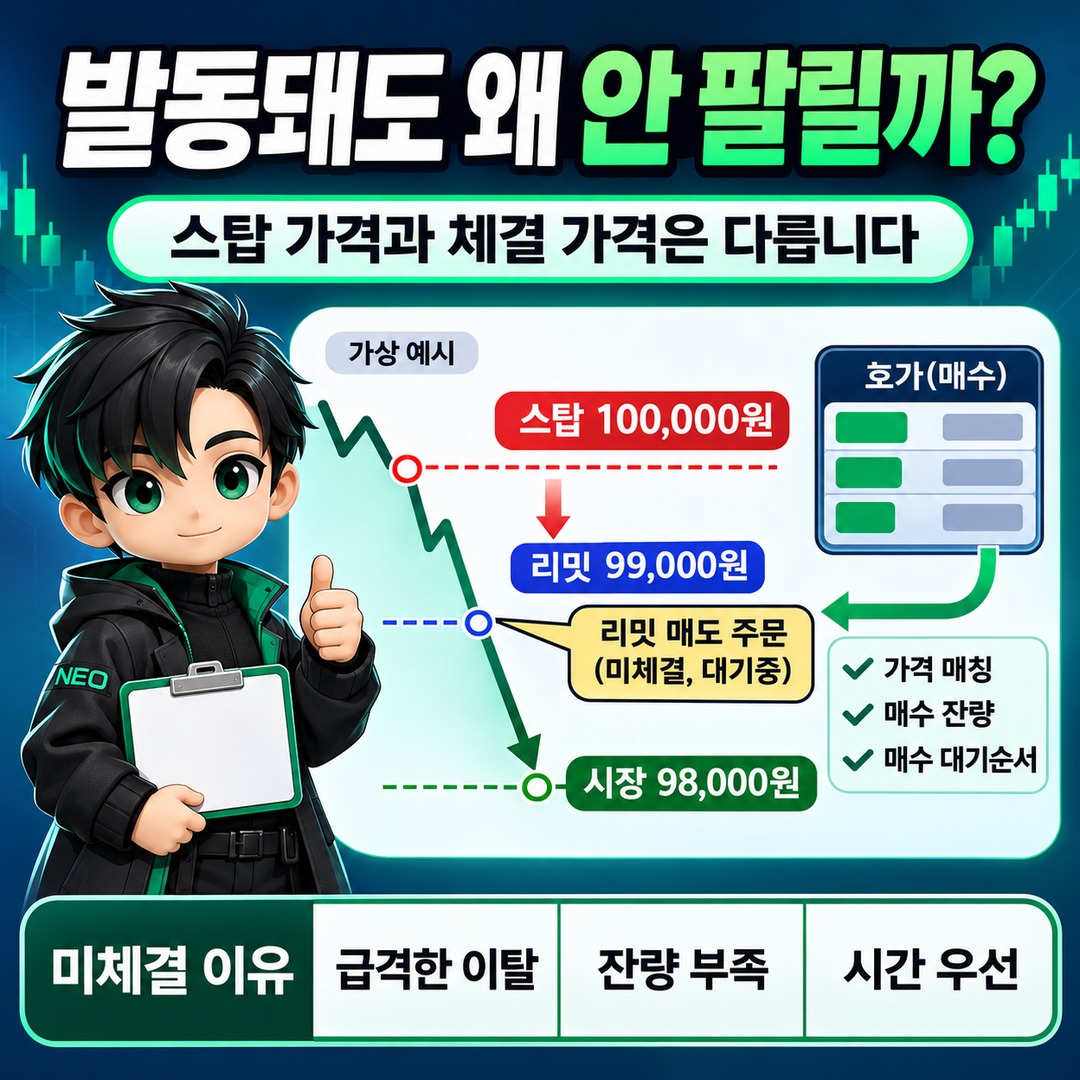
A spot crypto stop-limit order does not fill automatically when the trigger price is reached. Once the trigger condition is met, the configured limit order is submitted to the exchange’s order book, and it fills only if an opposing order matches its price and quantity. A sharp price move, insufficient quantity at the quoted price, or execution priority can therefore leave the order unfilled after it triggers.
2026-11-10 Official order guidance from Binance, Bybit, and OKX distinguishes between a trigger condition being met and an actual fill.
The most important thing is to check the stop price (trigger price) and the limit price (actual order price) separately.
Why Are Triggering and Filling Different for a Stop-Limit Order?
A Stop-Limit is a conditional limit order that works with two prices.
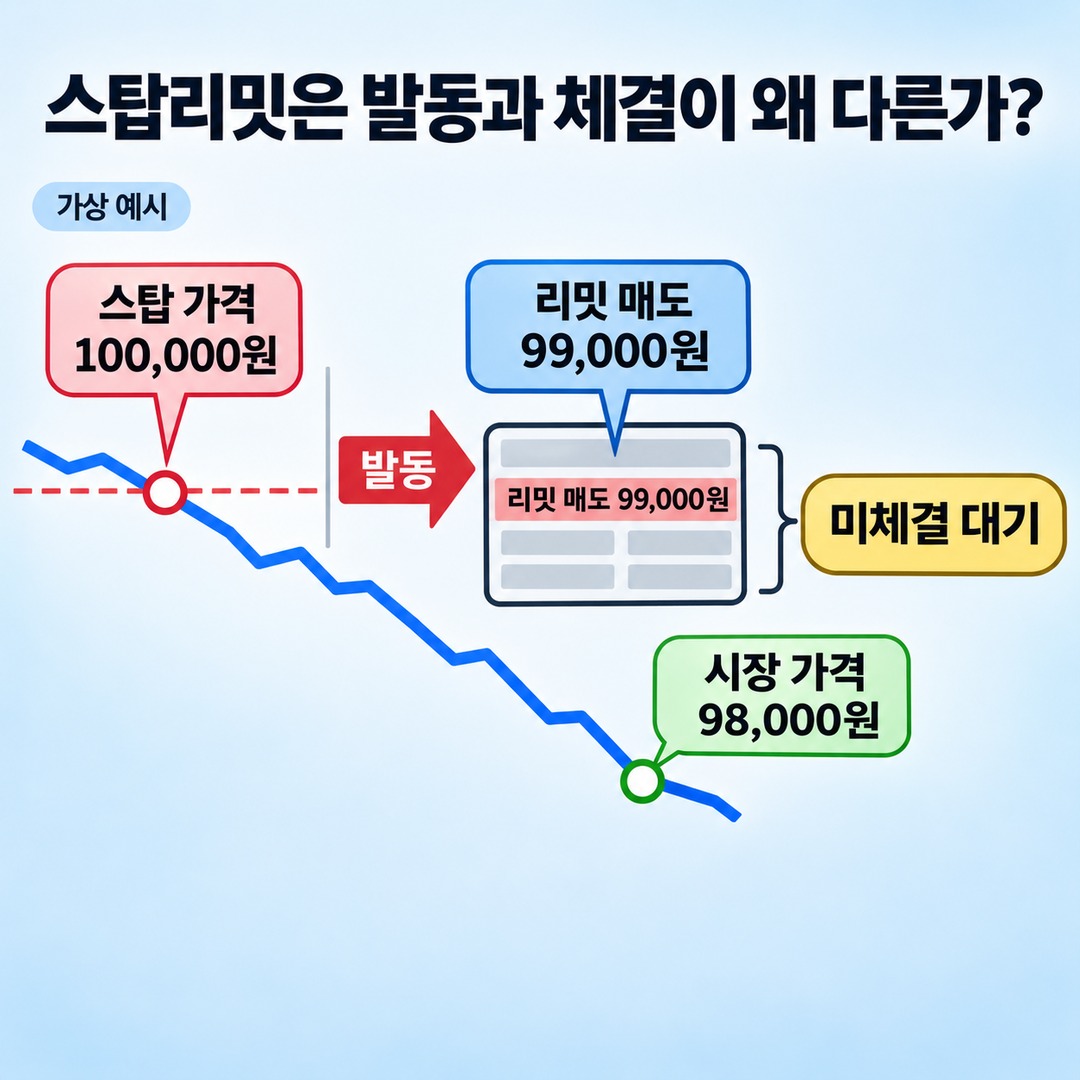
Stop Price: The condition price that activates the order
Limit Price: The order price submitted to the order book once the order is activated
For example, suppose you hold a coin and set up a sell order as follows.
| Item | Set Price |
|---|---|
| Stop Price | KRW 100,000 |
| Limit Price | KRW 99,000 |
| Order Side | Sell |
When the price reaches KRW 100,000, the sell condition is triggered.
But the actual sell order is submitted at KRW 99,000.
A problem can arise if the price drops sharply to KRW 98,000.
Because this is a limit order that will not sell below KRW 99,000, its price will not match the opposing buy orders in a market trading at KRW 98,000.
As a result, a stop-limit order can remain unfilled even after it triggers successfully.
Binance’s official guidance also explains that when the stop price is reached, a limit order is submitted to the order book; it does not necessarily fill immediately.
4 Common Reasons an Order Triggers but Remains Unfilled
1. The Price Moves Past the Limit Price at the Moment of Trigger
This is the first situation to check.
This can happen especially with a sell stop-limit order intended to limit losses.
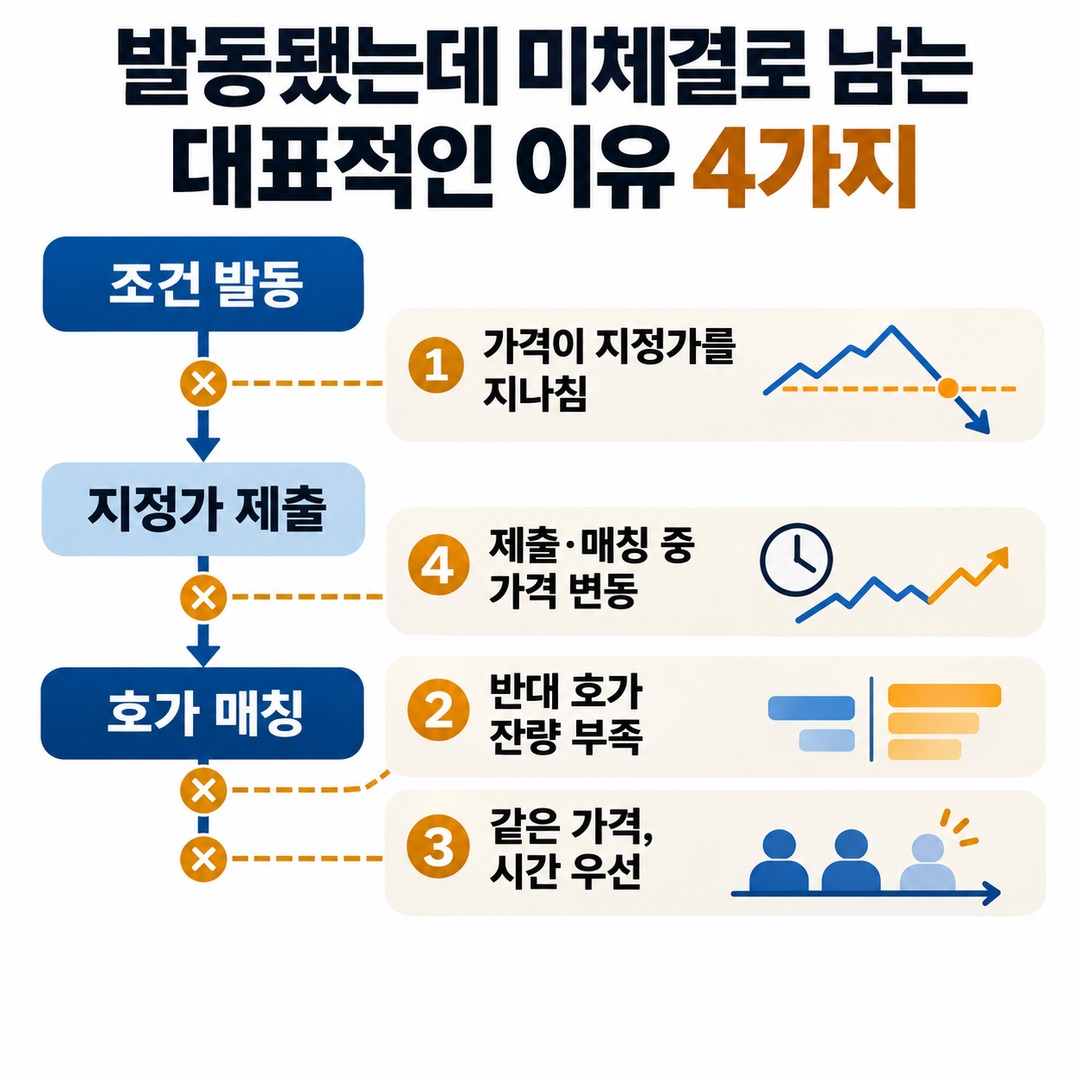
Consider a hypothetical example.
Stop price: KRW 100,000
Sell limit price: KRW 99,000
Market price after a sharp drop: KRW 98,000
The order triggers when the price reaches KRW 100,000. But if the market price is already KRW 98,000 when the order is submitted, the sell order at KRW 99,000 may not fill.
The stop price is a condition that starts the order; it is not a promise that the asset will be sold at that price.
2. Insufficient opposing-side order-book quantity despite the limit price being reached
The second issue is liquidity.
A sell order needs someone placing a buy order. A buy order needs someone placing a sell order.
For example, if you try to sell 10 units at KRW 99,000 and only 3 units of buy orders can actually be filled at that price, 3 units may fill while the remaining 7 units remain unfilled.
The price reaching the limit and there being enough counterparties to fill the entire order are two different things.
Binance’s guidance on unfilled limit orders also describes price conditions, liquidity, and order execution time as factors affecting whether an order fills.
3. When another order was placed at the same price first
The third factor is order priority in the order book.
When multiple sell orders are queued at the same price, orders received first may be filled first.
In its official PC trading guide, Upbit explains that limit orders are prioritized by price and then by time.
So even if a trade occurred at the price you set, your order may not have been filled.
For example, suppose 100 units of sell orders at KRW 99,000 were received first, and then your 10-unit order was placed behind them.
If only 50 units of buy orders came in at that price, the earlier orders would be filled first, so your order might not fill.
The important point is that the trade price shown on a chart alone does not tell you where your order stood in the execution queue.
4. When a sharp price move changes the price between order submission and execution
The fourth factor is the time lag during order execution.
Reaching the stop price, checking the condition, submitting the limit order, and matching it against the order book are connected steps, but they do not all happen at the same instant.
A real-world example in Binance’s published explanation also shows this difference.
2024-03-27 This is a BTC/USDT spot sell stop-limit example.
| Item | Price |
|---|---|
| Stop price | 70,330 USDT |
| Sell limit price | 70,600 USDT |
| Highest price actually observed | 70,598 USDT |
| Difference from the limit price | 2 USDT |
The explanation is that the stop price was crossed, but the highest price was 2 USDT below the sell limit, so the order did not fill.
By the author’s calculation, the 2 USDT difference is about 0.00283% of the limit price, 70,600 USDT.
This example shows that even a small-looking price difference can leave an order unfilled if the limit condition is not met.
How Do Unfilled Stop-Limit Orders Differ Between Buys and Sells?
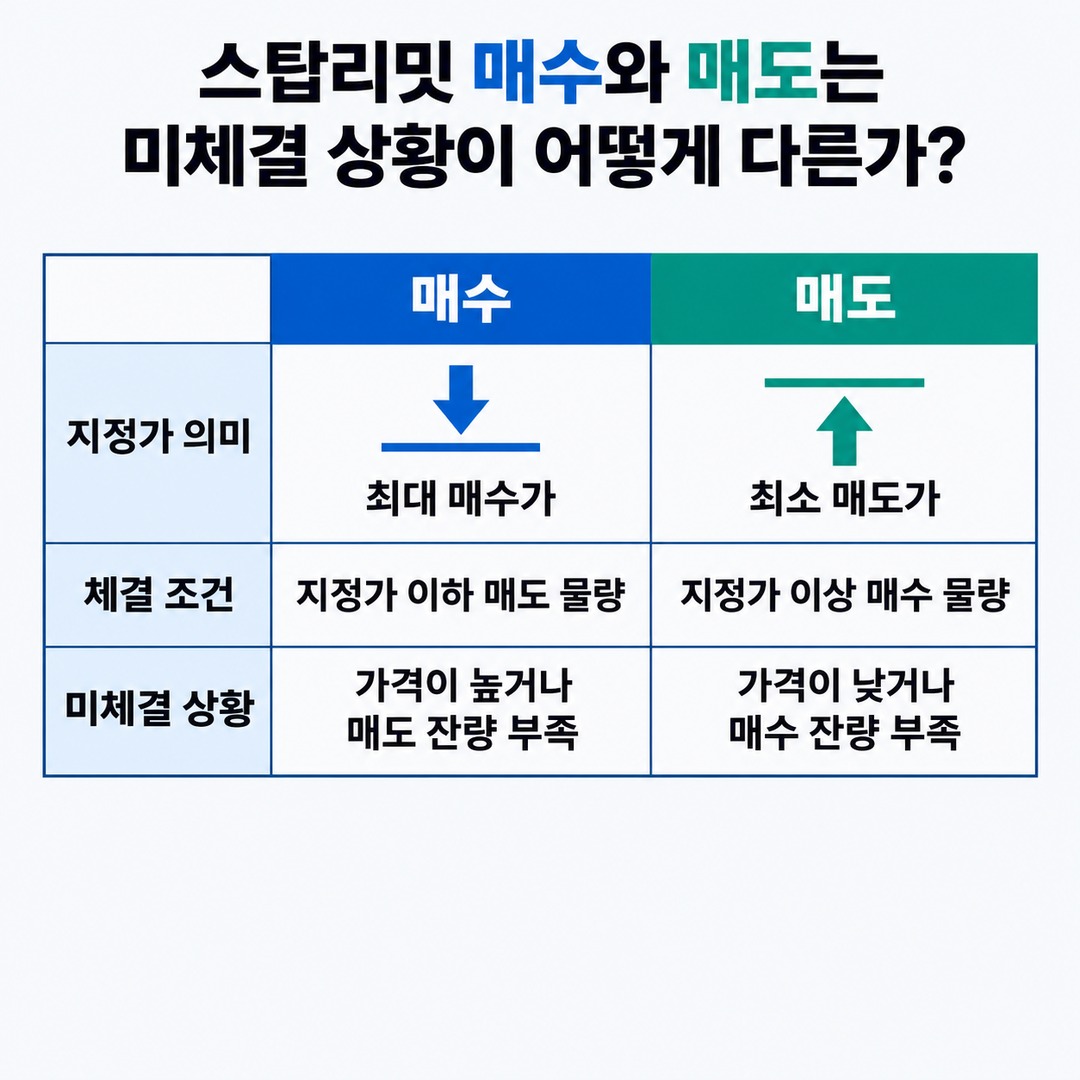
A limit price represents a different condition for a buy than it does for a sell.
| Type | Buy stop-limit | Sell stop-limit |
|---|---|---|
| What the limit price means | Maximum purchase price | Minimum sale price |
| Fill condition | Sell orders at or below the limit price | Buy orders at or above the limit price |
| When it may remain unfilled | Price is above the limit or there is insufficient sell-side quantity | Price is below the limit or there is insufficient buy-side quantity |
Anyone using a sell stop-limit to limit losses should understand that while it protects a minimum sale price, it does not guarantee execution.
Strictly limiting the price and prioritizing a quick fill are different choices.
What Should You Check First if the Order Remains Unfilled After Triggering?
If the order is shown as unfilled, it is useful to check the following in order.
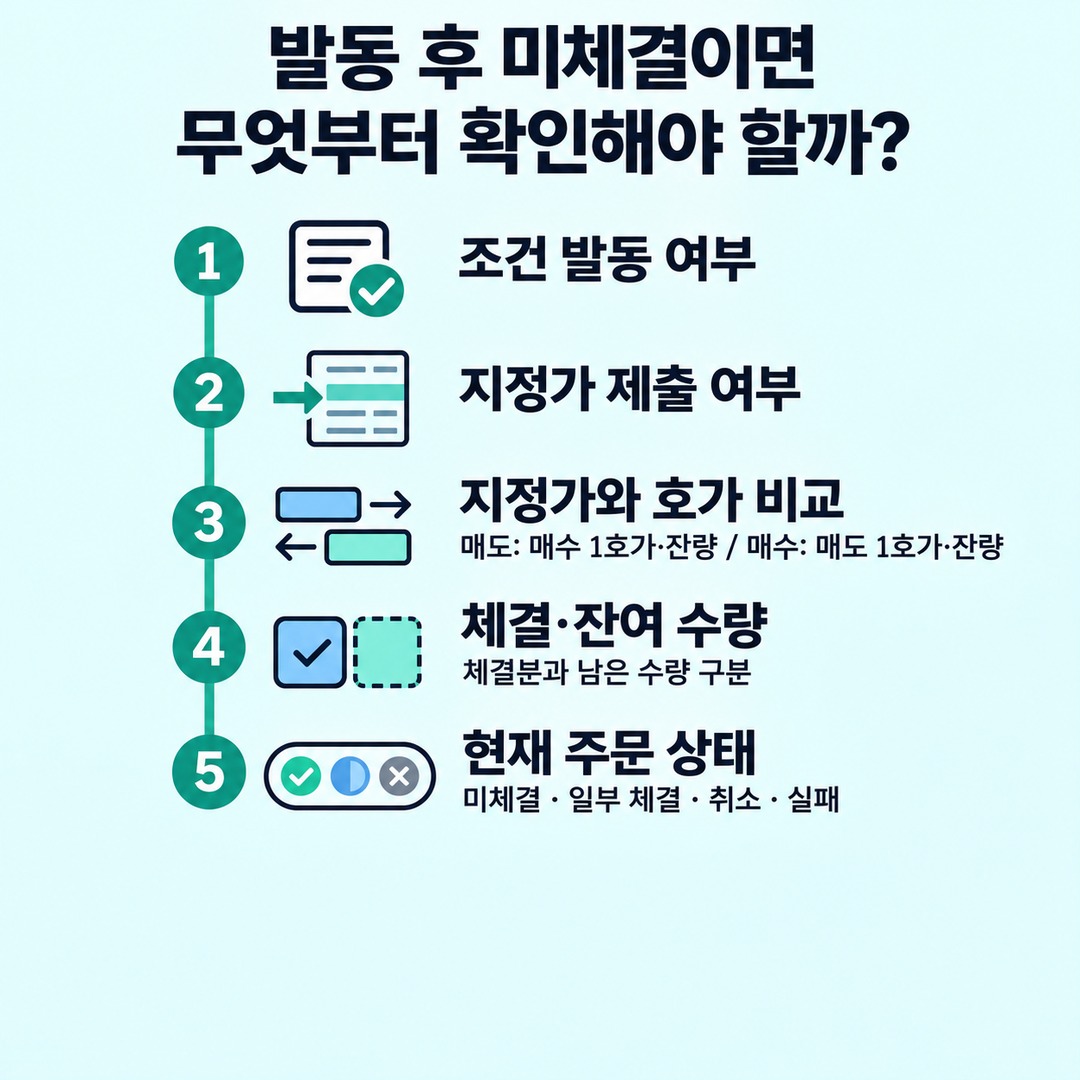
First, check whether the trigger condition was met.
Rather than checking only whether the price touched the stop price on the chart, confirm in the exchange’s order history that the order was actually triggered.
Second, check whether the limit order was submitted to the order book.
A conditional order being triggered and the limit order actually being accepted are separate events.
Third, compare the current limit price with the order book.
For a sell order, check the 1 bid price and bid-side quantity. For a buy order, check the 1 ask price and ask-side quantity.
Fourth, check the filled and remaining quantities.
If the order is partially filled, that does not mean the entire order failed. Check the quantity already filled and the remaining unfilled quantity separately.
Fifth, check the order status.
Check its current status, such as unfilled, partially filled, canceled, or rejected.
Menu names vary by exchange, but this information is generally available under open orders and order history.
Do Stop-Limit Trigger Rules Also Differ Between Exchanges?
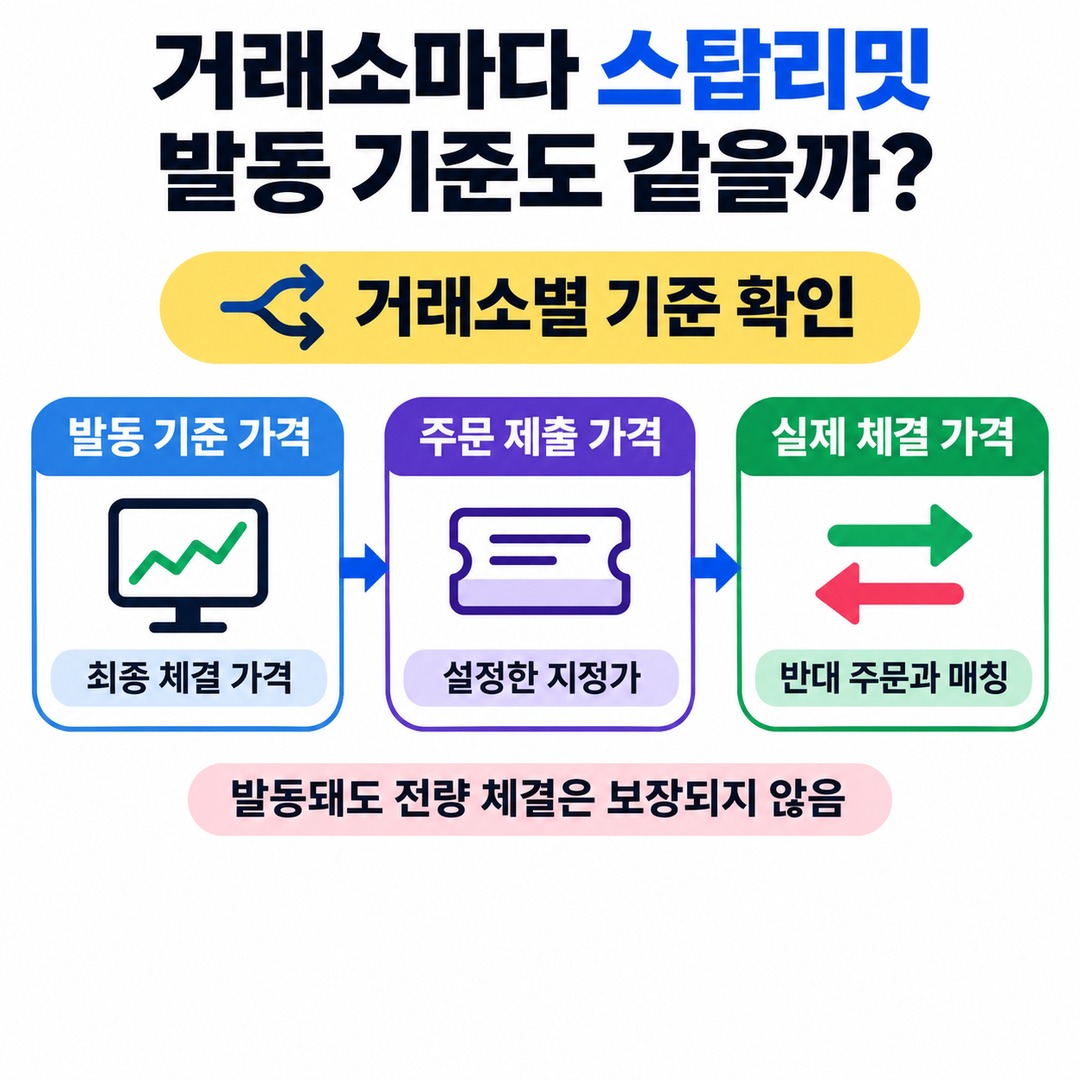
Not all exchanges use the same order types and trigger rules.
For example, Bybit’s spot TP/SL guidance specifies the Last Traded Price as the trigger price for spot conditional limit orders.
Upbit, a domestic exchange, also describes an order type called a reserved limit order in its official guidance. When the monitored price is reached, the preset buy or sell order is submitted. Upbit notes that the entire order may not be filled, depending on trading conditions.
So you should not assume that all stop-limit orders use the same trigger rules without checking the exchange.
In particular, distinguish these three prices:
Trigger reference price: Which price is monitored, such as the last traded price?
Order submission price: At what price is the limit order placed after triggering?
Actual execution price: At what price did the trade occur after matching with an opposing order?
These three prices can differ.
What Is the Difference Between a Stop-Limit and a Stop-Market Order?
The main difference is how the order is placed after it triggers.
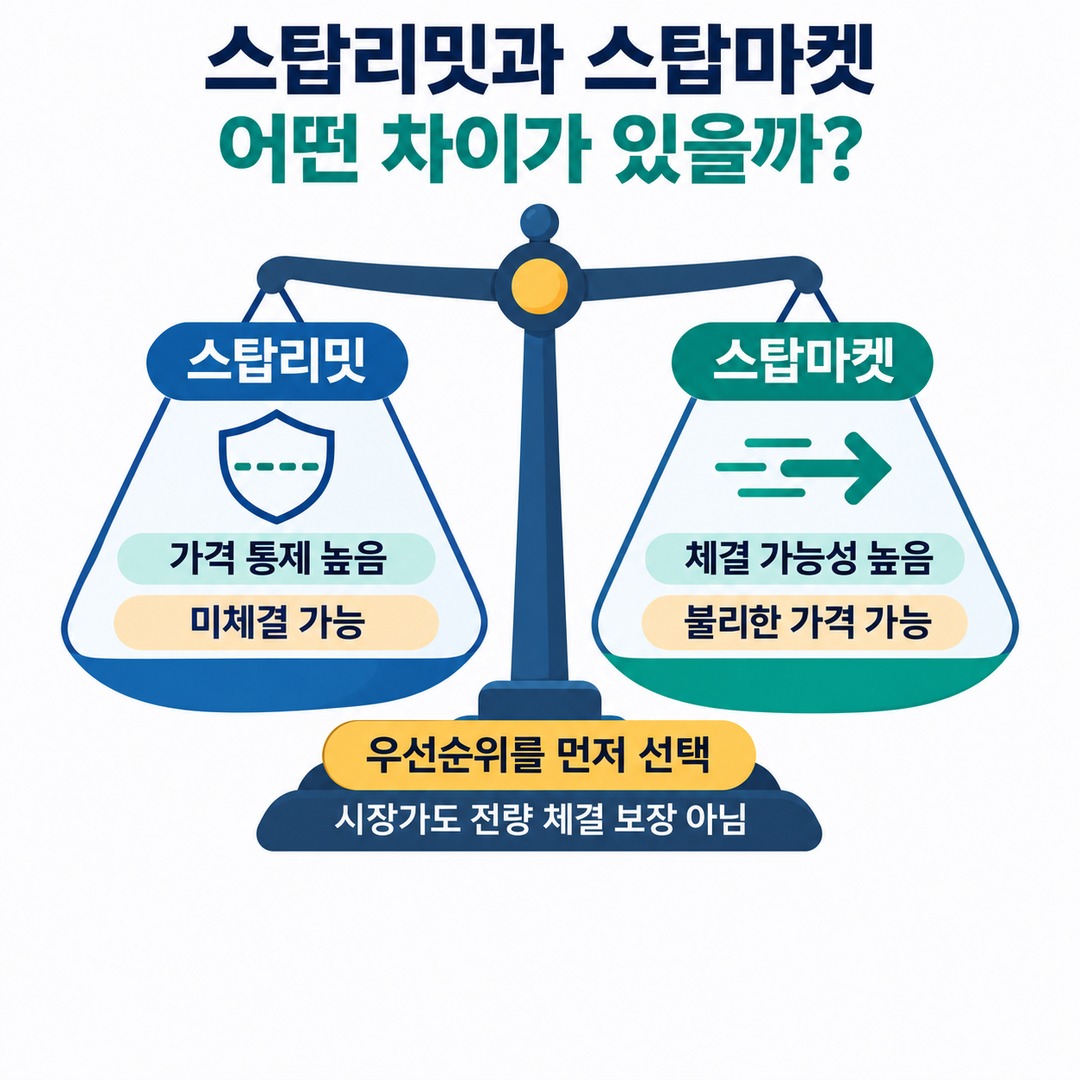
| Type | Stop-Limit | Stop-Market |
|---|---|---|
| After triggering | Limit order | Market order |
| Price control | Relatively high | Relatively low |
| Likelihood of execution | May remain unfilled | Generally more likely to execute |
| Main risk | May remain unfilled if the price moves past the limit | May execute at a less favorable price than expected |
A stop-market order does not guarantee that the entire quantity will be filled. Depending on order-book depth, the exchange’s market-order limits, and price-protection rules, the order may be partially filled or canceled.
So if you are placing an order to limit losses, first decide whether price control or the likelihood of execution matters more to you.
What to Remember First if a Stop-Limit Order Triggers but Remains Unfilled
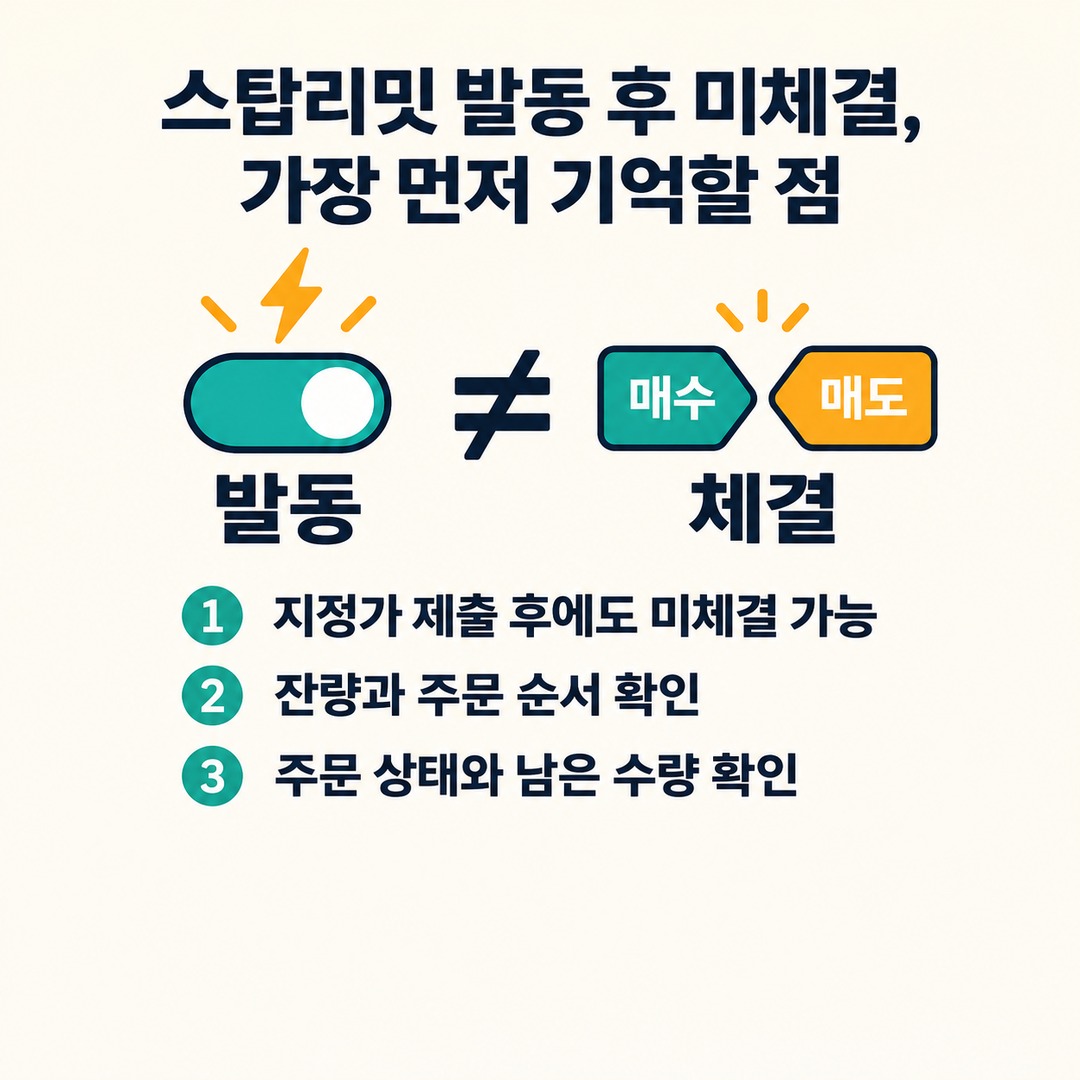
A stop-limit order does not automatically complete a trade when the trigger price is reached.
A trigger means the conditional order has been activated; a fill means the buy and sell orders have actually matched.
Keep these three points in mind:
1. Reaching the stop price does not mean the limit order will fill immediately.
2. Even if the price touches the limit, the order may remain unfilled because of order-book depth and execution priority.
3. If you are using the order to limit losses, do not leave it in an unfilled state without checking the actual order status and remaining quantity.
A stop-limit order is designed to help you maintain your chosen price; it does not guarantee a sale at the time you want.
※ This article is for informational purposes to help explain market movements and is not a recommendation to invest in any specific security or asset. You are responsible for your own investment decisions.