

Buying Crypto Spot for the First Time: Market or Limit Order to Reduce Execution Costs?
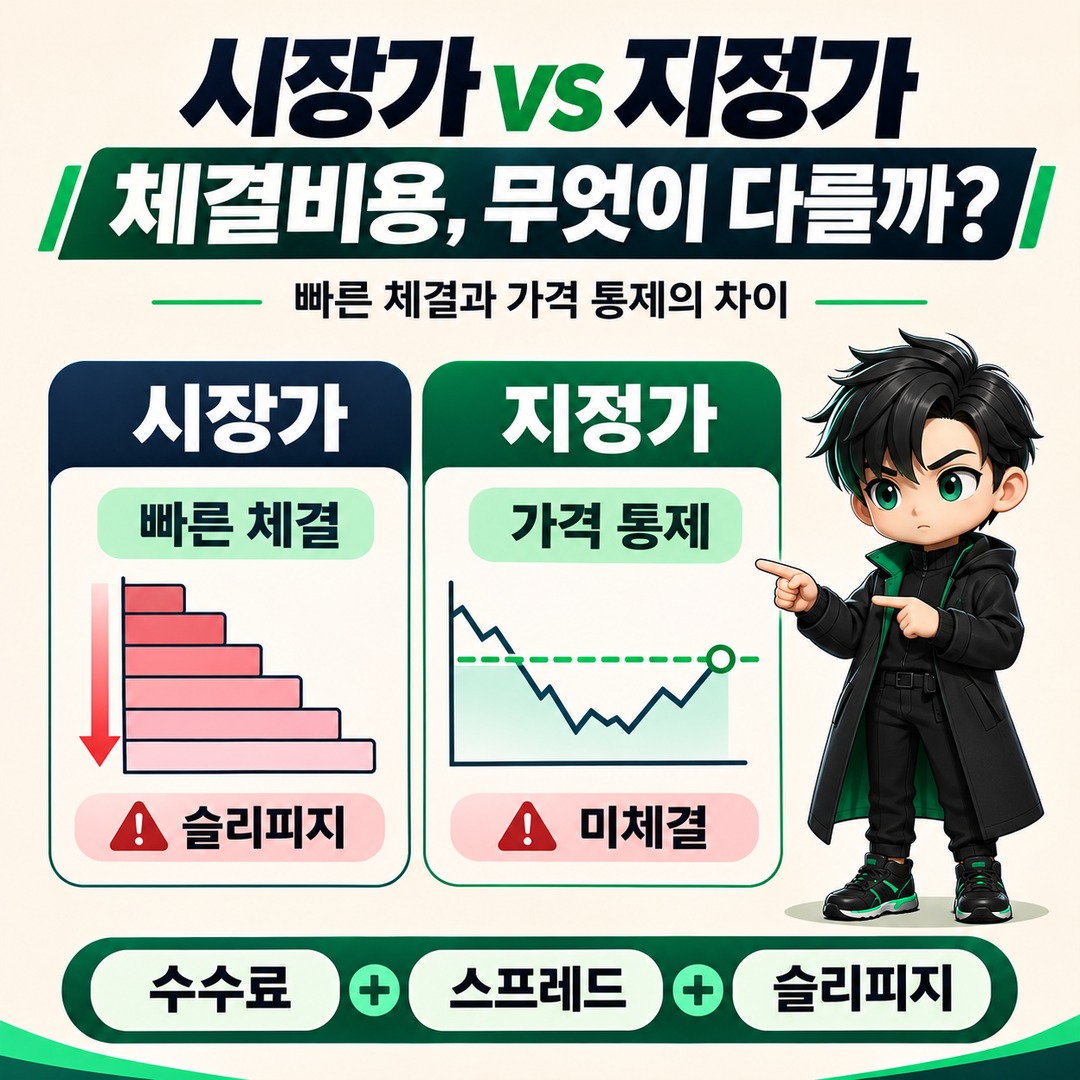
If you’re buying crypto on the spot market for the first time, consider a market order when you need a fast execution, and a limit order when you want to stick to your desired purchase price. However, the actual cost of a purchase is not determined by exchange fees alone. You also need to compare the bid–ask spread, slippage based on order size, and the possibility that your order may not be filled.
Looking at domestic exchanges’ order guidance as of 2026-11-16, the biggest difference between market and limit orders is execution speed and control over price. A limit order does not always mean lower fees or a better execution price than a market order.
The difference between market and limit orders comes down to execution priority
A market order prioritizes immediate execution over price, while a limit order prioritizes the order price over whether it gets filled.
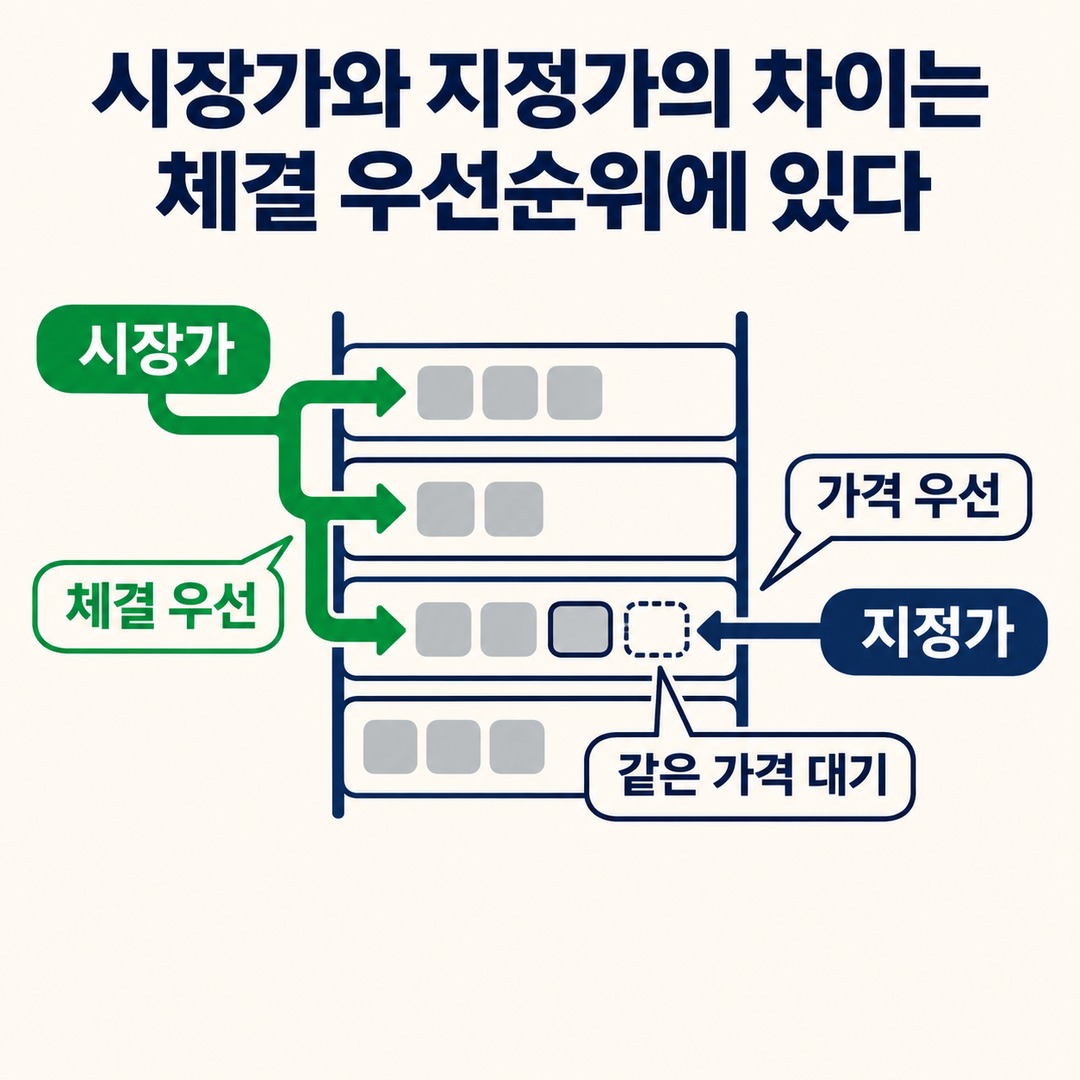
Both orders can be used to buy spot crypto, but they can produce different outcomes after you place them.
| Type | Market order | Limit order |
|---|---|---|
| Price setting | Not set directly | Set directly |
| Priority | Fast execution | Desired price |
| Execution speed | Aims for immediate execution | May have to wait |
| Execution price | Determined by the opposing quotes | Will not execute at a price worse than the limit price |
| Possibility of an unfilled order | Can occur depending on liquidity and order restrictions | Relatively high |
| Main risk | Slippage | Unfilled order and price movement |
According to Upbit’s digital asset trading guide, market buy orders are filled sequentially, starting with the best-priced sell orders currently waiting in the order book.
With a limit buy order, you set the price and quantity yourself. However, even if the market price reaches your order price, your order may not be filled if other orders at the same price were submitted earlier.
There is an important point for beginners to understand here.
A limit order gives you control over price; it does not guarantee that the quantity you want will be filled.
When might you choose a market buy order?
A market order may be worth considering when buying at a particular time matters more than waiting for your preferred price.

For example, in situations like these:
The amount you want to buy is small, and there is enough sell-side volume in the order book
You do not want to leave your order waiting for long
You want a quick fill within a price range you have already decided on
The advantage of a market order is that you do not need to enter the order price yourself.
However, choosing a market order does not mean the entire quantity will be filled at the current price shown on screen.
A buy order is filled by taking available sell-side quotes. If there is not enough quantity at the first ask price, it may be filled sequentially against sell orders at the next prices.
So the larger your order, the more price levels in the order book you should check.
What price should you set for a limit buy order?
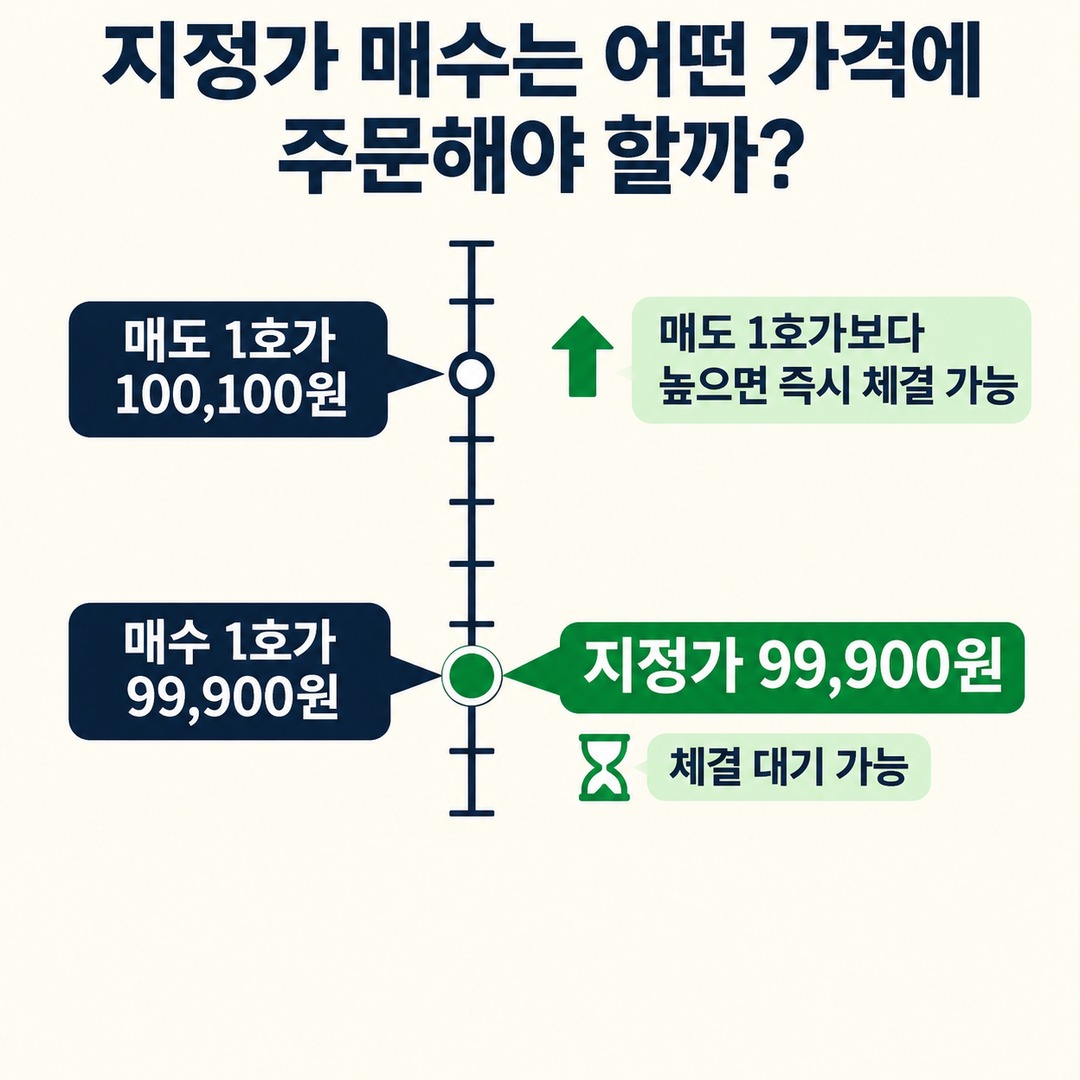
A limit order is suitable when you want to set the maximum price you are willing to pay.
For example, if the current ask 1 quote is KRW 100,100 and the bid 1 quote is KRW 99,900, you can place a limit buy order at KRW 99,900.
However, the order will not necessarily be filled immediately. It may be filled if a seller offers quantity at that price or if market order conditions change.
Keep the following points in mind when placing a limit buy order:
1. Enter your desired purchase price.
2. Check the order amount or quantity.
3. Submit the order.
4. Check the unfilled orders list for the quantity still waiting.
5. If you need the order filled, reassess the price.
In particular, if you place a limit buy order above the current ask 1 quote, it may trade against sell orders that are immediately available for execution.
In that case, even though you placed a limit order, it may be filled as a taker order rather than a maker order.
In other words, selecting “limit” in the order window alone does not mean maker fees will apply.
Fees alone do not capture the full cost of an actual execution
To compare the cost of buying crypto spot, consider these three factors separately.

① Trading fees
The cost the exchange applies to the executed amount.

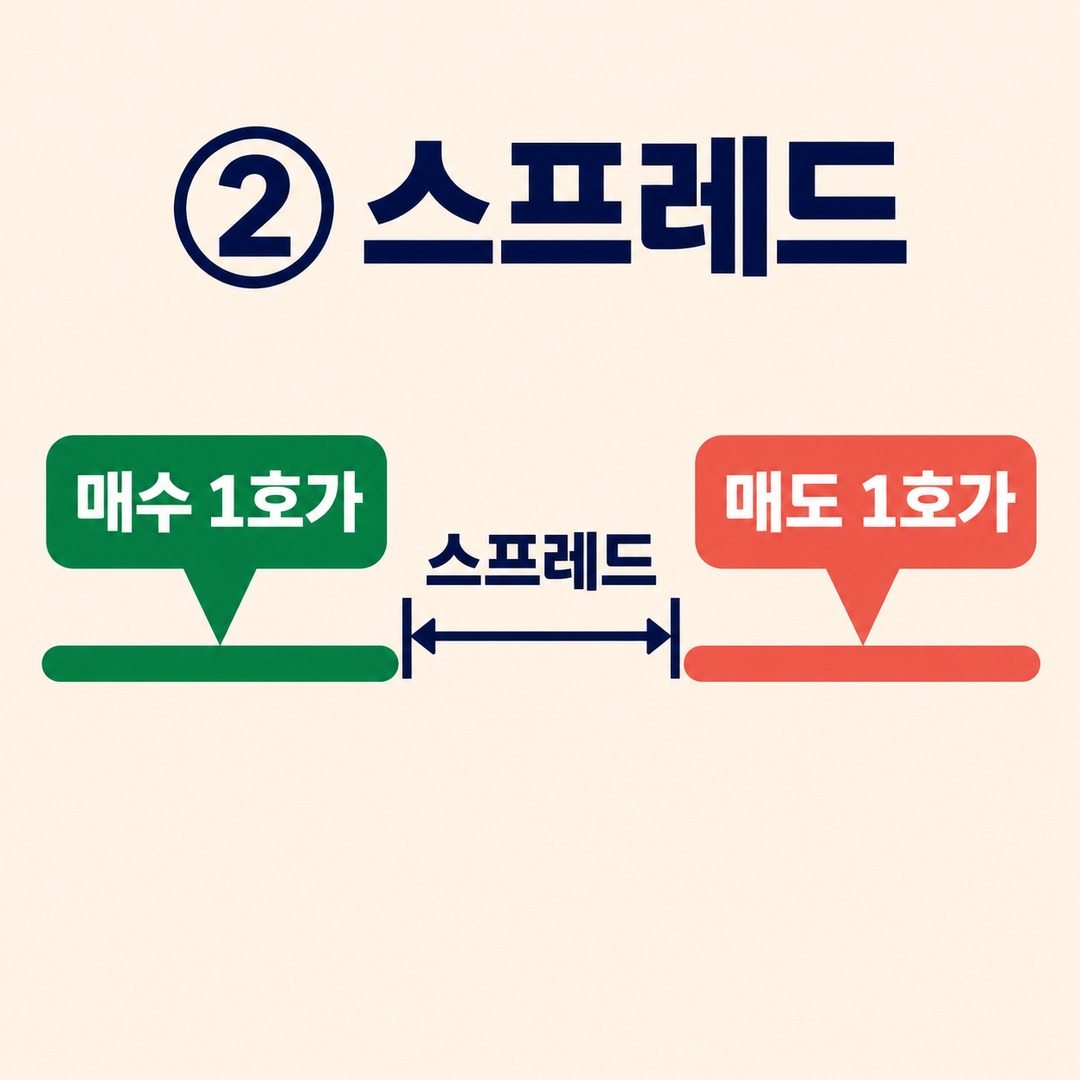
② Spread
The difference between the bid 1 quote and the ask 1 quote.
③ Slippage
The difference between the expected price and the actual average execution price.
The spread is the gap between the bid and ask quotes, while slippage occurs when the actual execution price differs from what you expected because of order size or market conditions.
These are different concepts, but both can affect the cost of an actual order.
What would the fee be for a KRW 1,000,000 purchase?
Upbit’s Coin Gathering fee guide in its customer center lists 0.05%, the same fee as for regular orders in the KRW market.
However, fees may vary by exchange, market, and applicable promotion, so check the fee information in effect when you place the order.
The following is the author’s calculation, assuming 0.05%.
| Item | Calculation result |
|---|---|
| Purchase amount | KRW 1,000,000 |
| Assumed fee rate | 0.05% |
| Purchase fee | KRW 500 |
| Total amount deducted | KRW 1,000,500 |
The calculation is as follows.
Purchase fee = executed amount × fee rate
KRW 1,000,000 × 0.0005 = KRW 500
Assuming you sell again for the same amount and the sell fee rate is also 0.05%, the combined fees for buying and selling would be about KRW 1,000.
This is a simple calculation that excludes price changes. The fee will also change if the actual sale execution amount differs.
In its guide to calculating trading fees, Upbit explains that the market-specific fee rate is applied to the executed quantity multiplied by the execution price.
How does your actual average purchase price change when quotes span multiple levels?
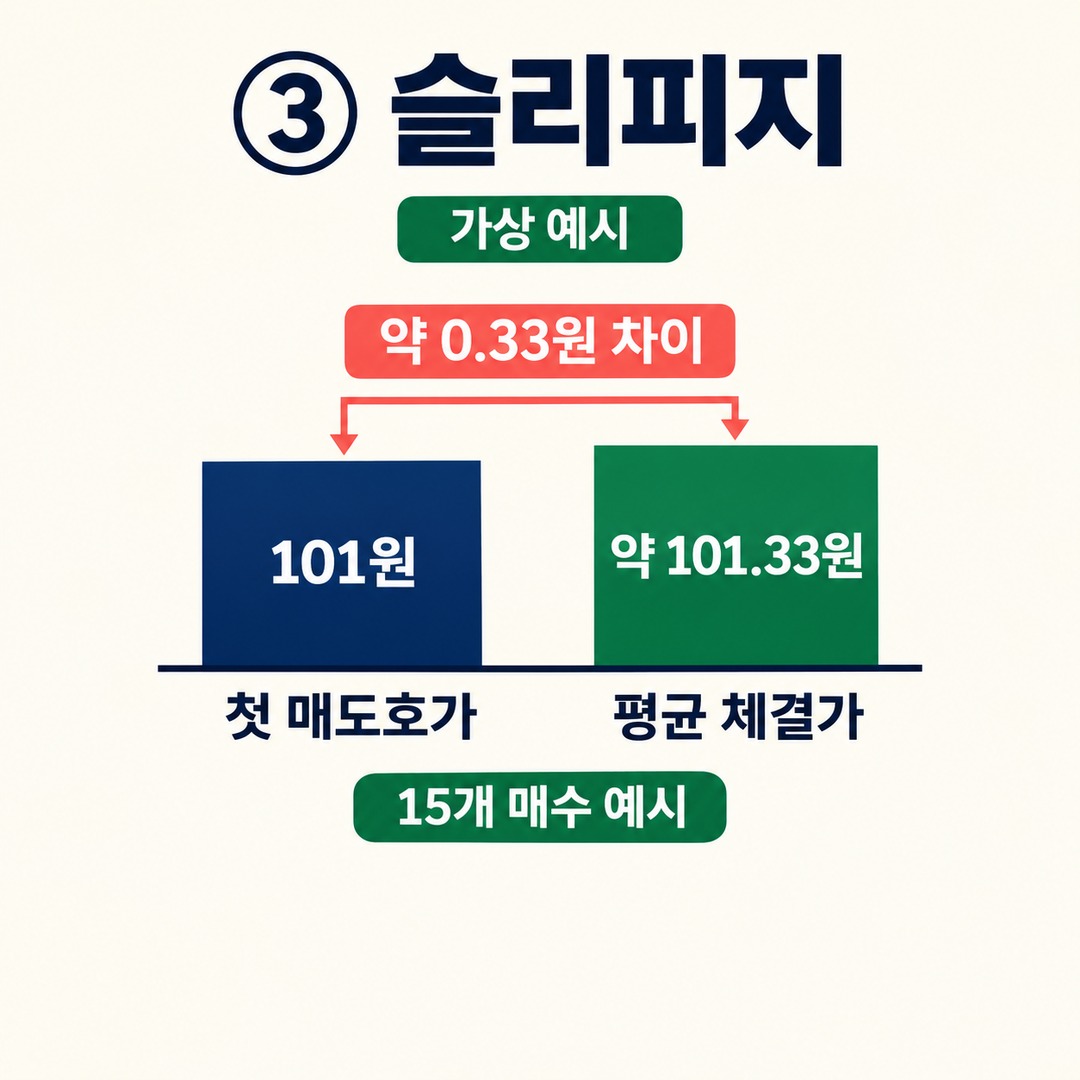
The following is a hypothetical order book for illustration. It does not represent a specific coin or live price on an actual exchange.
Hypothetical example · Unit: won; quantity: number of coins
| Ask price | Sell quantity waiting |
|---|---|
| KRW 101 | 10 units |
| KRW 102 | 10 units |
Suppose you place a market order to buy 15 units.
10 units filled at KRW 101
5 units filled at KRW 102
The total executed amount is:
(KRW 101 × 10 units) + (KRW 102 × 5 units) = KRW 1,520
The average purchase price is:
KRW 1,520 ÷ 15 units = approximately KRW 101.33
The average purchase price is about KRW 0.33 higher than the first ask, KRW 101.
In other words, calculating the total purchase cost using only the ask 1 quote you first saw on screen may not match the actual execution result.
This is one example of how the execution price can rise with order size.
Maker and taker are not other names for limit and market orders
Maker and taker are concepts that beginners often confuse.
A maker order adds a new order to the order book and supplies liquidity. A taker order immediately matches an existing order on the opposite side and takes liquidity.
| Order situation | Typical classification |
|---|---|
| Immediate purchase with a market order | Taker |
| Limit buy waiting below the current ask | May be a maker |
| Limit buy above the current ask | May be a taker |
| Post Only limit order | Accepted as maker only |
It is also important to check the actual order conditions on the exchange.
On 2026-06-30, Bithumb added limit order conditions and best-price limit orders to its KRW market.
According to Bithumb’s official guidance, Post Only automatically cancels an order if it would execute immediately, allowing it to be accepted only as a maker order.
So if you want to place maker-only orders, check the difference between a regular limit order and Post Only.
However, maker orders are not always cheaper, because fee policies differ by exchange.
What should you check before your first spot purchase?
Before making an actual purchase, it helps to check the following:
First, check the exchange and market.
Check whether you are using the KRW, BTC, or USDT market. The price and fees for the same coin may vary across markets.
Second, compare the bid and ask 1 quotes.
If the gap between the two prices is wide, the spread you pay for an immediate purchase may be larger.
Third, check the sell-side quantity available for your order size.
Check whether enough quantity is available at the ask 1 quote for the amount you want to buy. If not, check the next quote as well.
Fourth, check the fee rate and estimated execution amount.
Use the exchange’s order confirmation screen and fee information as the basis for your calculation.
Fifth, check the execution history.
An order being accepted is not the same as it being filled. Distinguish the unfilled quantity from the actual average execution price.
Which is cheaper, a market order or a limit order?
In short, you cannot determine which is cheaper based on order type alone.
A market order offers faster execution, but its price may become less favorable as it fills across multiple levels of the order book.
A limit order lets you control the price you want, but execution may be delayed or may not happen at all.
For an actual comparison, use these calculations:
Actual purchase cost = executed amount + trading fee; average purchase price = executed amount ÷ quantity actually filled
Separately comparing the reference price with the average execution price can also help you assess the spread and slippage.
In particular, when comparing market and limit orders, use the same coin, order amount, and order book at the same point in time.
Do not count an unfilled limit order as having incurred an actual purchase cost. Instead, consider separately that the price may change while you wait.
For your first spot purchase, it is important to check the order book, fees, and estimated execution price before rushing to place an order. Crypto assets are highly volatile, and you may lose some or all of your investment.
※ This article is for informational purposes to help readers understand market trends and is not an investment recommendation for any particular security or asset. You are responsible for your own final decisions and investments.