

2026 Silson24: How to Claim Insurance When Hospitals or Pharmacies Don't Appear in Search, and the Difference Between Naver, Toss, and Unconnected Providers

Starting 2026-10-07, the service was improved to allow users to complete indemnity health insurance claims directly within Naver Map, Naver Pay, and Toss. However, if a hospital or pharmacy does not appear in Silson24, you should first check whether the medical institution is electronically connected to the system. For treatment expenses incurred at unconnected medical institutions, you can still submit claims directly to your insurer using the required documents, as before.
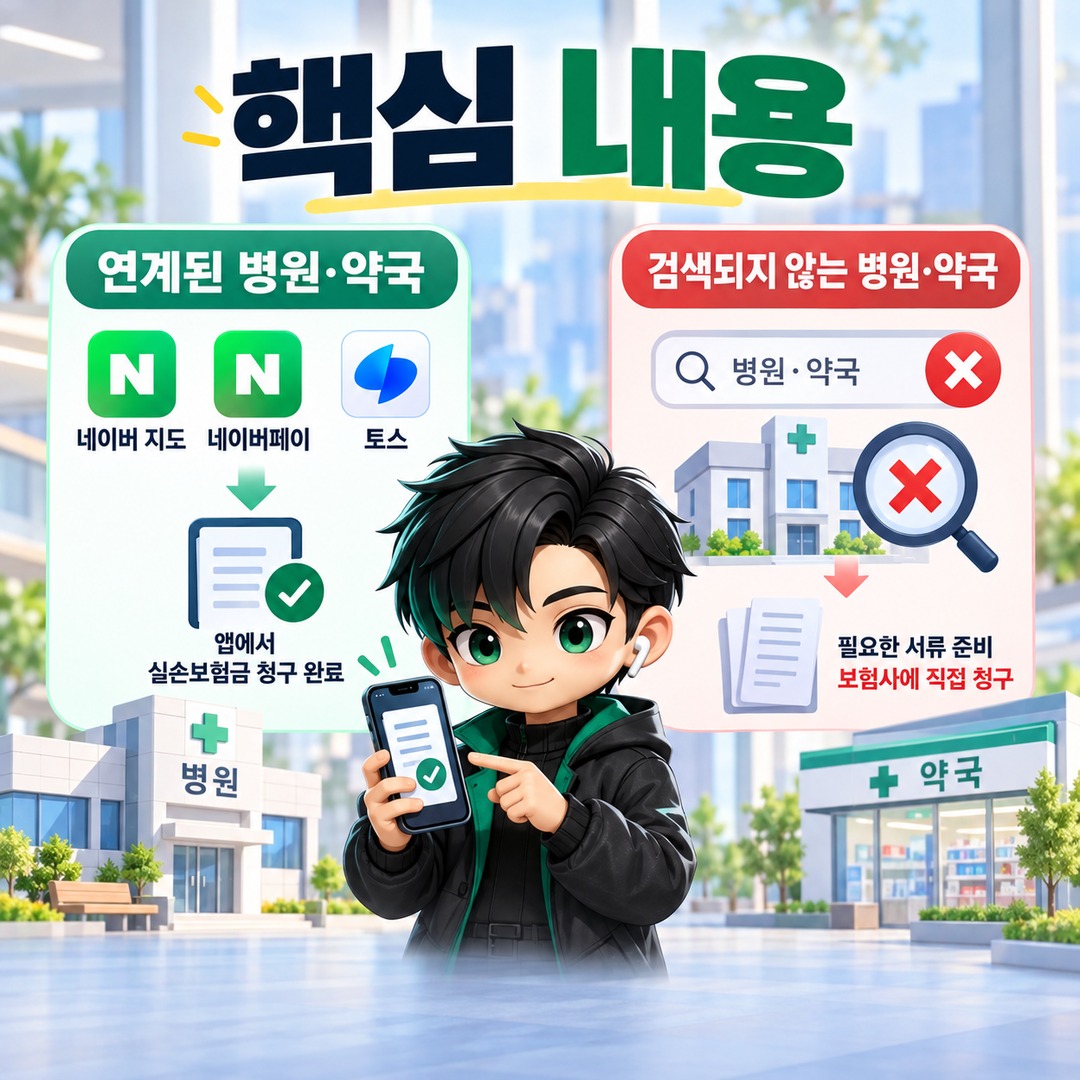
In particular, using Naver or Toss does not mean that medical records from every hospital and pharmacy are automatically connected.
Why Hospitals and Pharmacies May Not Appear in Silson24
Silson24 is a service that electronically transmits hospital treatment and pharmacy prescription documents to insurance companies. A medical institution must be connected to the Silson24 system for patients to use electronic claims without obtaining separate paper documents.
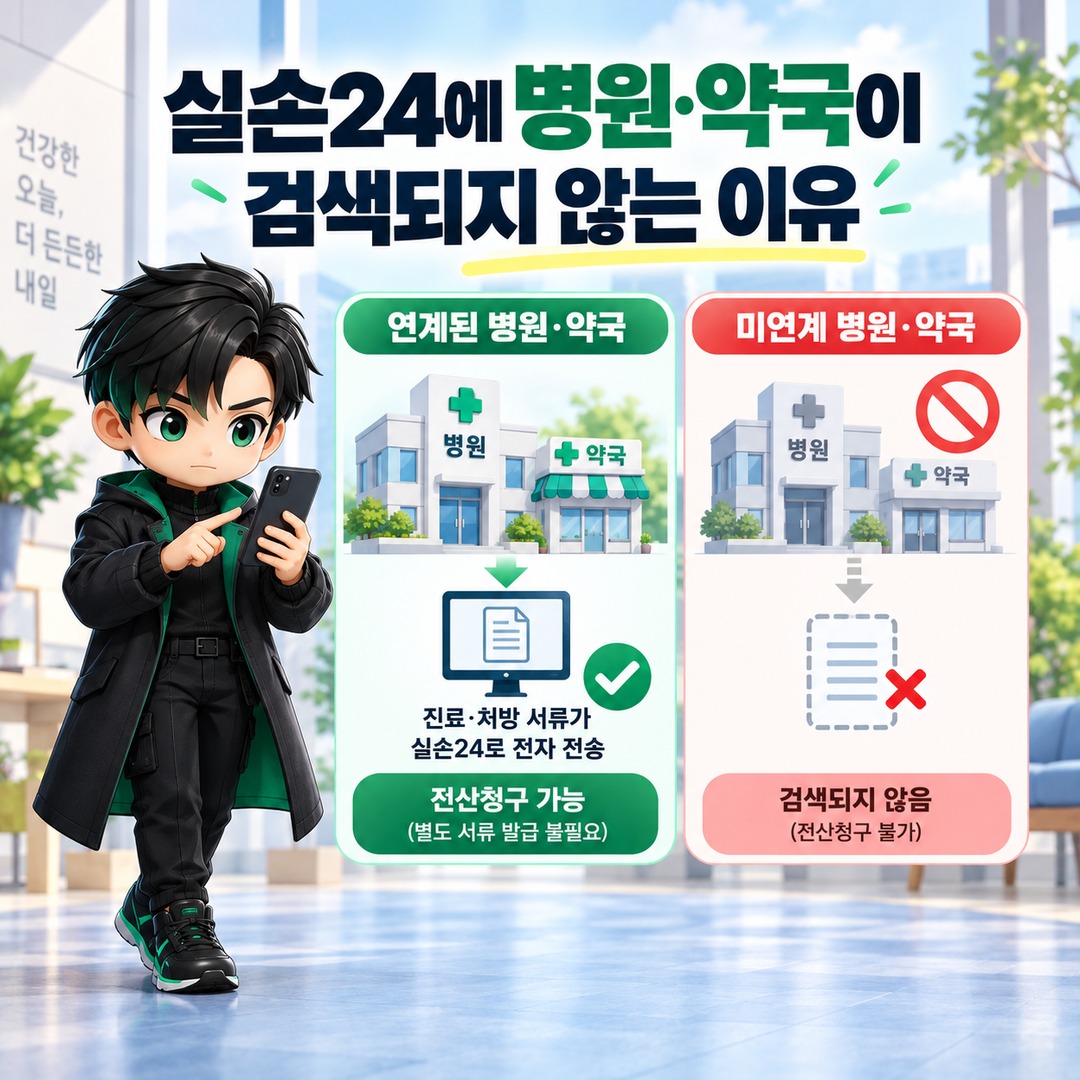
According to information released by the Financial Services Commission in 2026-09-30, as of September 28, 5 ten-thousand 340 medical institutions had completed their Silson24 connections out of 10 ten-thousand 5,643 eligible medical institutions nationwide.
The overall connection rate was 47.7%.
| Category | As of 2026-09-28 |
|---|---|
| Total eligible medical institutions | 105,643 institutions |
| Connected to Silson24 | 50,340 institutions |
| Connection rate | 47.7% |
| Connection rate for hospitals and public health centers | 60.0% |
| Connection rate for clinics and pharmacies | 46.7% |
The important distinction is that the medical institutions covered by the Silson24 program are not necessarily the same as those where electronic claims are actually available.
The electronic claims system, which initially covered hospitals and public health centers in 2024-10-25, was expanded to include clinics and pharmacies starting 2025-10-25.
However, expanding the program did not mean that every medical institution completed its system connection at the same time.
Therefore, when a hospital or pharmacy does not appear in search results, two possibilities should be distinguished.
First, the medical institution may not yet be connected to Silson24.
Second, regardless of whether the institution is connected, additional verification may be necessary during the search or medical-record lookup process.
Rather than determining the cause solely from search results, it is advisable to check the participating medical institutions listed by Silson24 first.
How to Find Hospitals Participating in Silson24 Through Naver Map
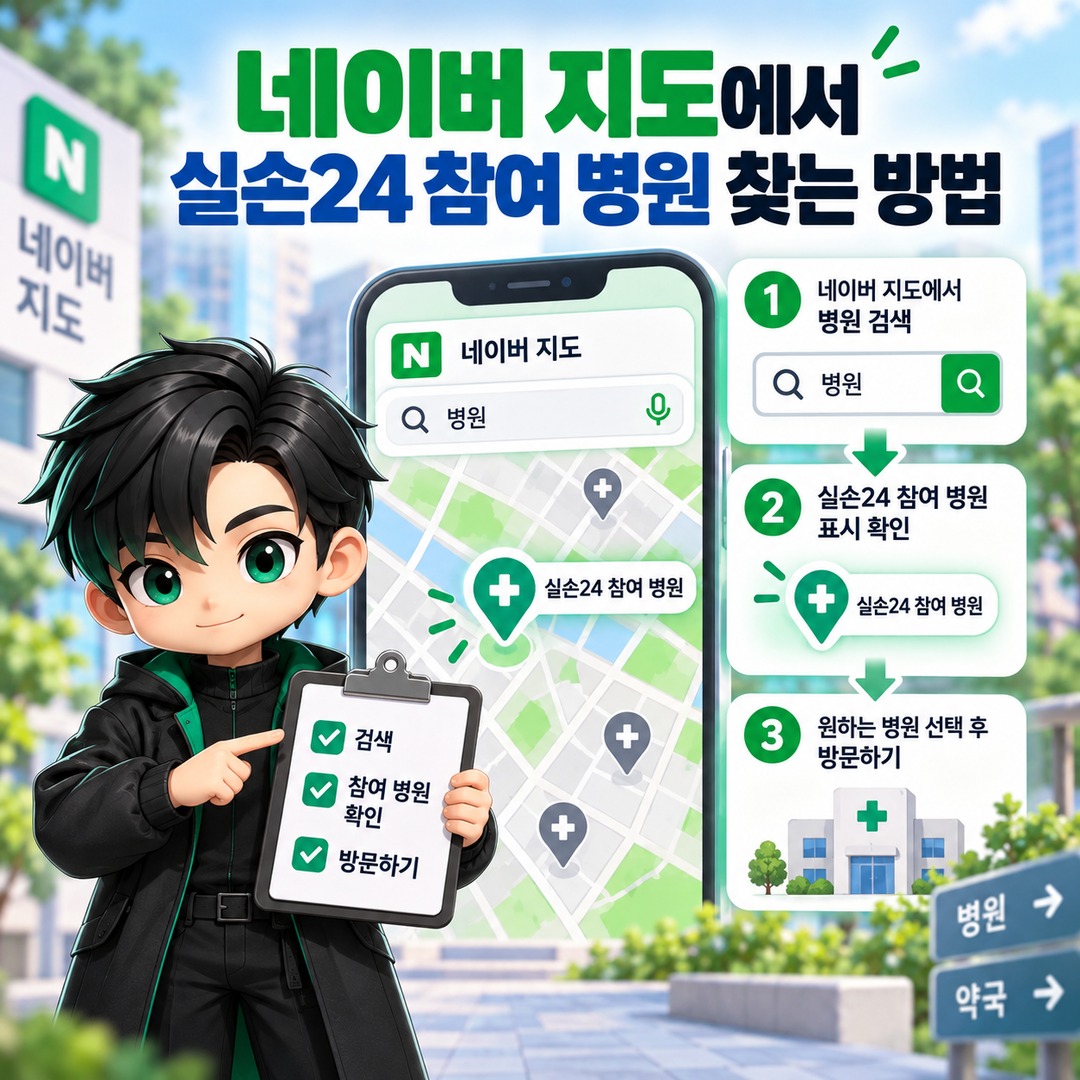
Naver Map has improved its search functionality to help users identify hospitals participating in Silson24.
The improvements announced for implementation starting 2026-10-07 include participating-hospital indicators, banners on hospital detail pages, and links to the insurance claims service.
Follow these steps to check participation.
1. Search for the name of the hospital you visited on Naver Map.
2. Check whether the hospital's detailed information displays a Silson24 participation notice.
3. Use the Silson24 filter in hospital searches to find participating medical institutions.
4. If the hospital supports electronic claims, use the linked indemnity health insurance claims service.
It is important to distinguish between finding a hospital on Naver Map and actually submitting a claim for medical expenses.
The fact that a hospital appears on the map does not automatically mean that electronic claims through Silson24 are available. You must check for the Silson24 participation indicator.
If you find a hospital on Naver Map but do not see a Silson24 participation indicator, it is also advisable to check the institution through the official Silson24 service.
What Has Changed About Indemnity Health Insurance Claims Through Naver Pay and Toss?
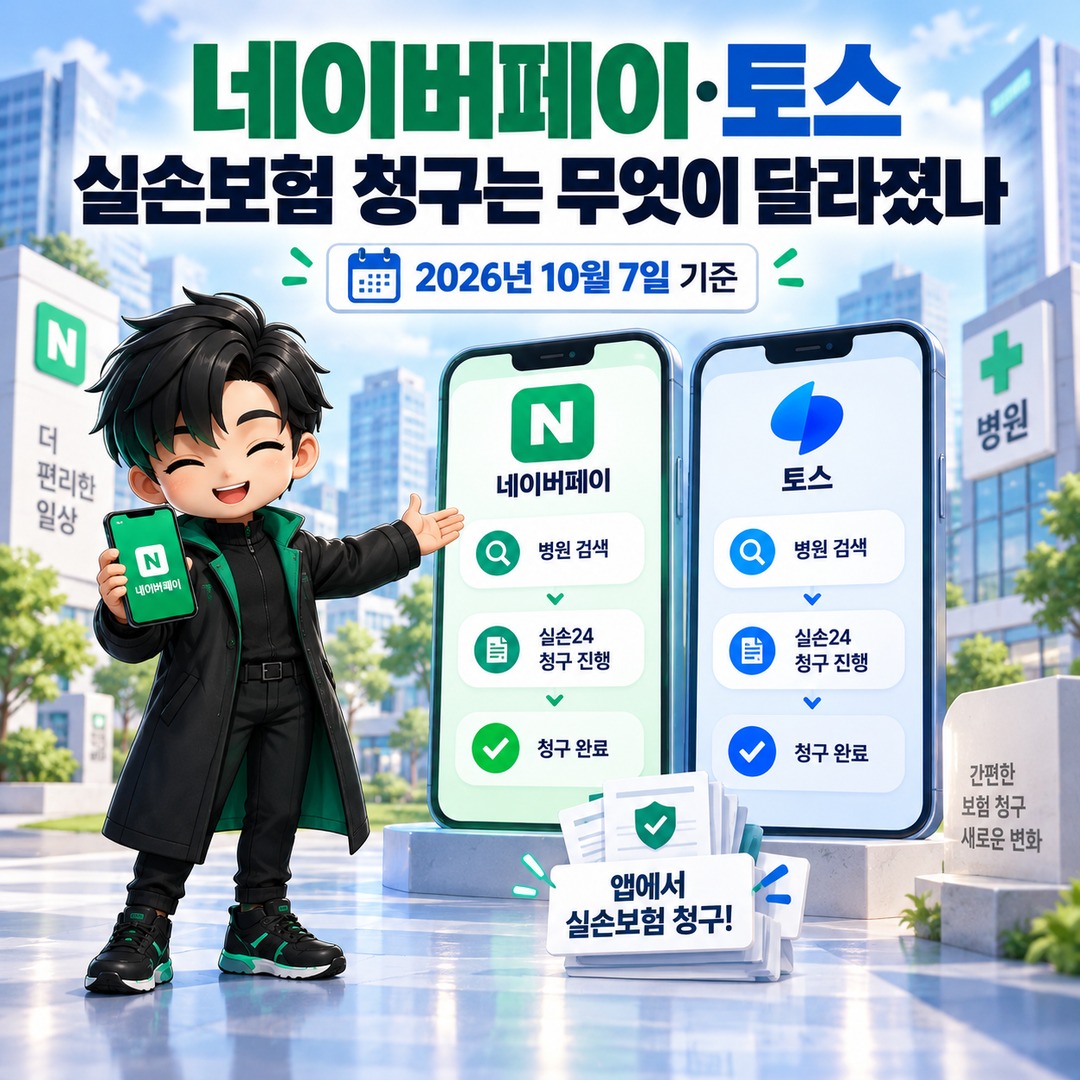
The most significant change announced as of 2026-10-07 concerns the claims process when using Silson24 through Naver and Toss.
Previously, even when users accessed the service through Naver or Toss, they had to move to the Silson24 website to submit their claims.
The improved process allows users to complete insurance claims directly within Naver Map, Naver Pay, and the Toss app.
In addition, the service was designed to reduce the need for consumers who consent to the use of MyData to enter information such as medical institutions, treatment dates, insurance companies, and bank account numbers separately.
How to Submit a Claim Through Naver
Use the indemnity health insurance claims feature provided through Naver Map or Naver Pay.
After confirming that the medical institution participates in Silson24, follow the service's instructions for identity verification and checking your insurance policy and treatment records.
If you have consented to MyData use, some information-entry steps may be simplified.
However, MyData consent and the medical institution's actual electronic connection status are separate requirements.
How to Submit a Claim Through Toss
The Toss app also provides an indemnity health insurance claims service connected to Silson24.
Select the indemnity health insurance claims feature in the app, verify your insurance policy and treatment records according to the instructions, and proceed with the claim.
Toss also offers a process that reduces information entry for consumers who consent to MyData use.
Because the screen layout and menu locations in Naver and Toss may vary depending on the app version, users should follow the procedures displayed in their actual apps.
The Difference Between Naver and Toss Is the App You Use, While Electronic Claims Through Silson24 Depend on Whether the Medical Institution Is Connected
How to Claim Insurance Benefits for Treatment at a Hospital Not Connected to Silson24
If you received treatment at a hospital that is not connected to Silson24, you can use your insurance company's existing claims procedure.
Silson24 is a channel for electronically transmitting claim documents. Therefore, being unable to use this system should not be confused with being unable to claim insurance benefits at all.
For an unconnected hospital, follow these steps.
1. Identify the insurance company providing your indemnity health insurance coverage.
2. Ask your insurer which documents are required to claim medical expenses.
3. Obtain the necessary supporting documents from the hospital where you received treatment.
4. Submit your insurance claim through your insurer's app, website, or another available channel.
5. Check the insurer's claim receipt and review status.
Documents commonly required for verification include medical expense receipts, itemized medical expense statements, and prescriptions.
However, the documents actually required may vary depending on the treatment provided, the amount claimed, the insurance company, and the terms of the insurance policy.
Rather than obtaining documents that the insurer may not require, it is better to confirm the necessary documents before preparing them.
What If a Pharmacy Does Not Appear in Silson24?
The availability of electronic claims for pharmacies also depends on whether each pharmacy is connected to Silson24.
Although pharmacies were included in the electronic indemnity health insurance claims program starting 2025-10-25, not every pharmacy has completed its connection.
As of 2026-09-28, 2 ten-thousand 608 pharmacies were connected to Silson24.
If a pharmacy does not appear in search results, first check the participating-pharmacy information provided by Silson24.
If the pharmacy is not connected, ask your insurer which documents are needed to claim prescription medication expenses. You can then submit the claim through the existing process using documents issued by the pharmacy.
Not every expense incurred at a pharmacy is eligible for insurance reimbursement. Whether benefits are paid is determined through a review based on the coverage terms of your indemnity health insurance policy and the nature of the medication expenses.
What If the Hospital Participates but the Pharmacy Does Not?
The Silson24 connection status of hospitals and pharmacies must be checked separately.
For example, the hospital where you received treatment may participate in Silson24, while the pharmacy where you purchased your prescribed medication may not.
In this situation, you should check the appropriate claims channels separately for hospital treatment expenses and pharmacy medication expenses.
| Medical Institution Connection Status | Claims Method to Check |
|---|---|
| Both hospital and pharmacy connected | Electronic claims through Silson24 |
| Only hospital connected | Electronic claim for hospital expenses; existing claims process for pharmacy expenses |
| Only pharmacy connected | Existing claims process for hospital expenses; electronic claim for pharmacy expenses |
| Neither connected | Existing claims process through the insurance company |
This table distinguishes claims channels according to each medical institution's connection status. You must separately verify which treatment records can be selected on the actual claims screen and which documents are required.
It is also advisable to check your submission history to avoid submitting duplicate claims for the same medical treatment or medication expenses through different channels.
Can an Unconnected Hospital Be Connected to Silson24?
Connecting a medical institution to Silson24 involves procedures related to the hospital's or pharmacy's electronic systems.
In its November 2025 guidance, the Financial Services Commission explained that if a medical institution has difficulty connecting because its electronic medical record (EMR) software provider does not participate in Silson24, the institution can request that the provider develop the necessary software or switch to a participating provider.
Therefore, patients cannot turn an unconnected hospital into an institution capable of electronic claims simply by changing settings on their own phones.
Users can ask hospitals whether they are connected to Silson24, while medical institutions can check the participation status of their electronic medical record software providers.
In its September 2026 announcement, the government stated that it would support medical institutions and expand participation, aiming to achieve a connection rate of 80 to 90% by the end of the year.
However, these figures represent policy targets, not achieved results. The connection date of each individual hospital must be verified separately.
Are Insurance Benefits Paid Immediately After Submitting a Claim Through Silson24?
Completing a claim through Silson24 does not mean that the insurance benefit review has also been completed.
Silson24 provides a service for selecting an insurance policy and treatment records, preparing a claim, and transmitting it to the insurance company.
The insurer subsequently reviews the insurance policy and submitted information to determine whether benefits will be paid and, if so, the amount payable.
Therefore, after completing a claim through Silson24, you should check your submission history and the insurer's review status.
Can You Also Submit Indemnity Health Insurance Claims for Your Parents or Children?
Silson24 also provides claims features for minor children and for parents or 3rd parties.
A person with parental authority can submit a claim on behalf of a child under 19 years of age.
For claims involving parents or 3rd parties, another person may assist with preparing the claim, but the person entitled to claim the insurance benefits must personally complete the final submission.
If the claimant does not have a mobile phone, use of the parent or 3rd-party claims service is restricted. Another person also cannot receive the insurance benefits on the claimant's behalf.
What to Check First When Using Silson24 in 2026
Although the indemnity health insurance claims process through Naver and Toss has become simpler starting October 2026, the key factor determining the appropriate claims method is whether the medical institution is electronically connected.
If the hospital or pharmacy is connected to Silson24, you can use electronic claims. If it is not connected, check your insurer's existing claims procedure.
There is no need to give up on claiming insurance benefits simply because the hospital where you received treatment does not appear in search results.
First, check the medical institution's participation status through Silson24. If it is not connected, confirm the required documents with your insurer and proceed with the claims process.