

Unfilled Stock Orders: Are They Automatically Canceled After the Market Closes? Why KRX 15 hours 30 minutes and NXT 20 hours Have Different Cutoffs
This post contains Coupang Partners affiliate links. We may earn a commission from qualifying purchases.
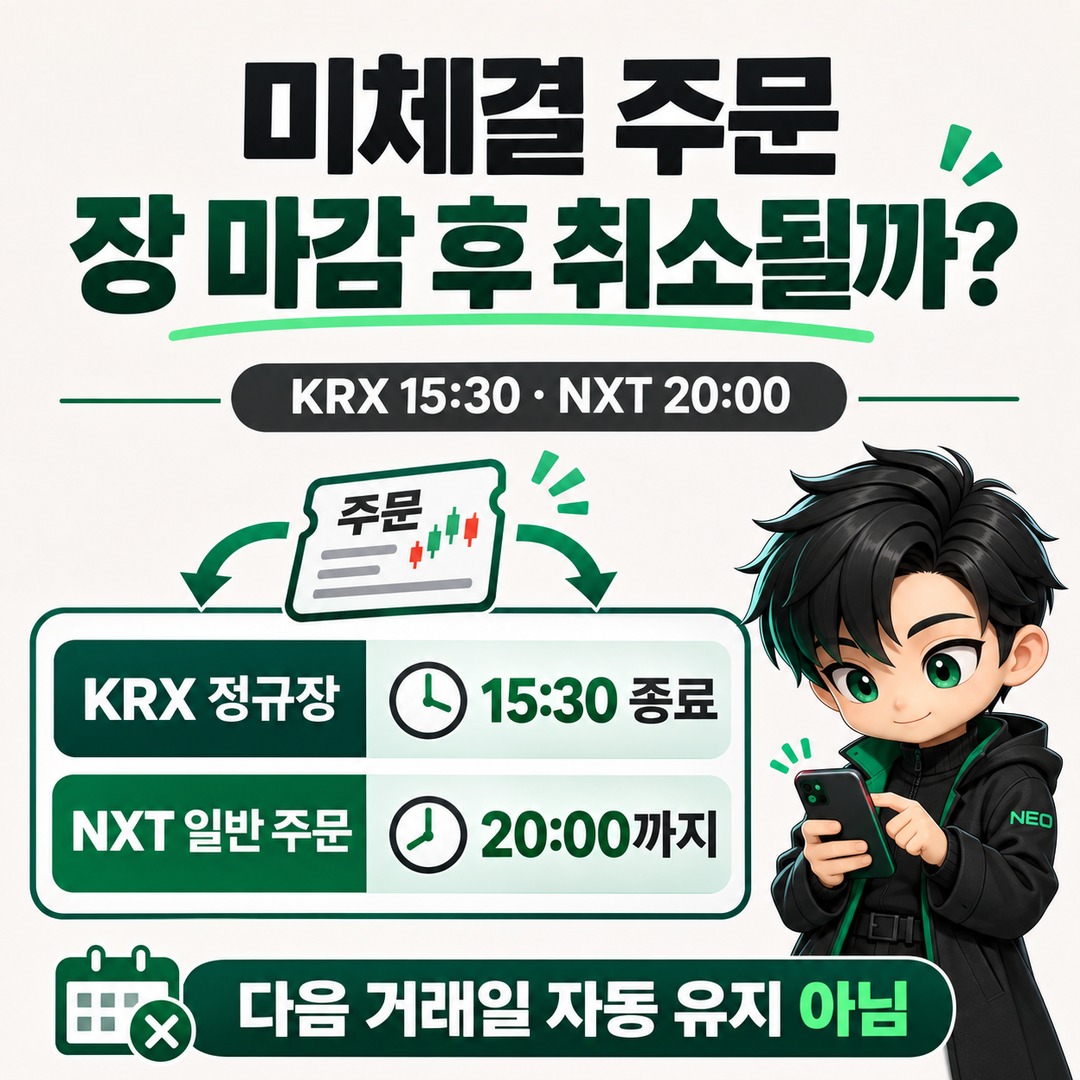
Unfilled stock orders do not automatically remain open until the next trading day. As of 2026-11-18, regular-session orders on the Korea Exchange (KRX) expire at 15 hours 30 minutes, while regular orders on NextTrade (NXT) may remain open until 20 hours, depending on the market and order type. In particular, even for orders in the same stock, the handling after the market closes depends on which exchange received the order.
1. Do unfilled stock orders remain open until the next day?
In general, domestic stock orders placed for the day do not automatically carry over to the next trading day. Once the order's validity period ends, the order expires, so you must place a new order to trade the next day.
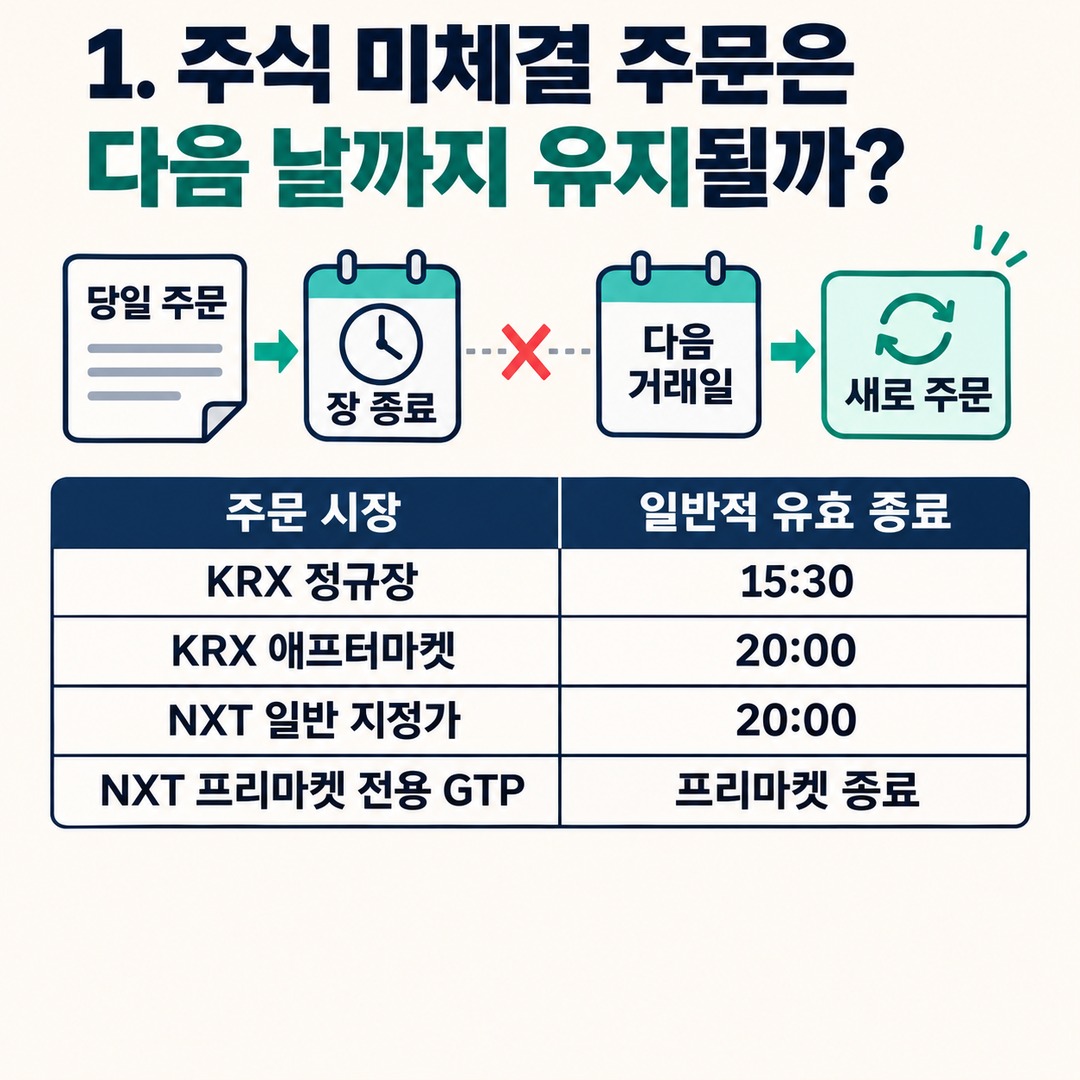
However, in 2026, you also need to account for KRX after-hours trading and NXT trading hours.
| Market receiving the order | Typical order expiration |
|---|---|
| KRX regular session | 15:30 |
| KRX after-hours session | 20:00 |
| NXT regular limit order | 20:00 |
| NXT pre-market-only GTP | At the end of the pre-market session |
The key point is that not all domestic stock orders expire at 15 hours 30 minutes.
KRX regular-session orders and KRX after-hours orders are treated as separate orders.
So if you place a sell order during the regular session and it does not execute, do not assume that the same order will automatically be carried out in the after-hours session.
2. Why do KRX and NXT handle orders differently after the market closes?
The main differences are the exchange that received the order and the order's validity period.
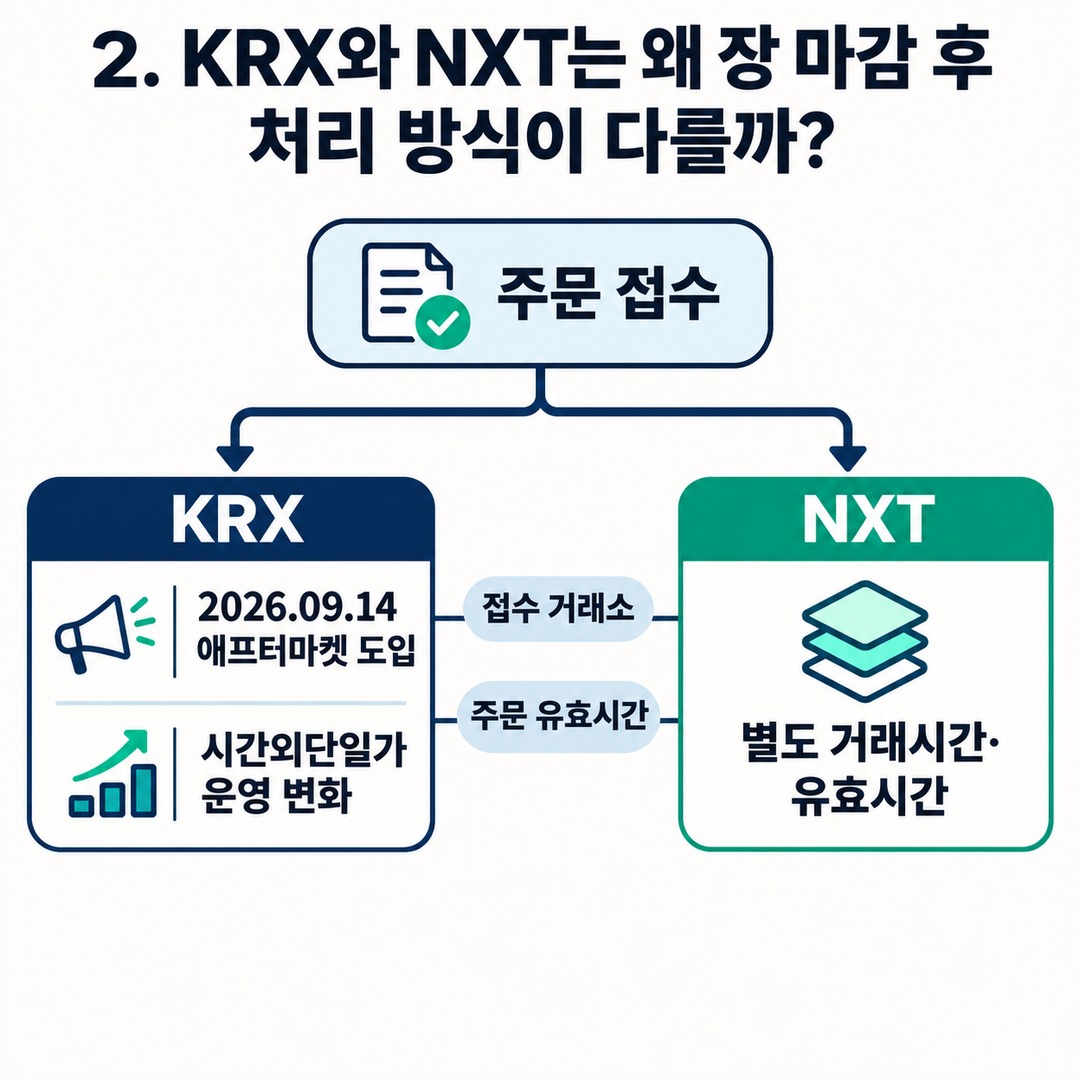
With the introduction of KRX after-hours trading from 2026-09-14, the way the existing after-hours single-price auction market operates also changed.
Unfilled KRX regular-session orders are not automatically carried over to after-hours trading.
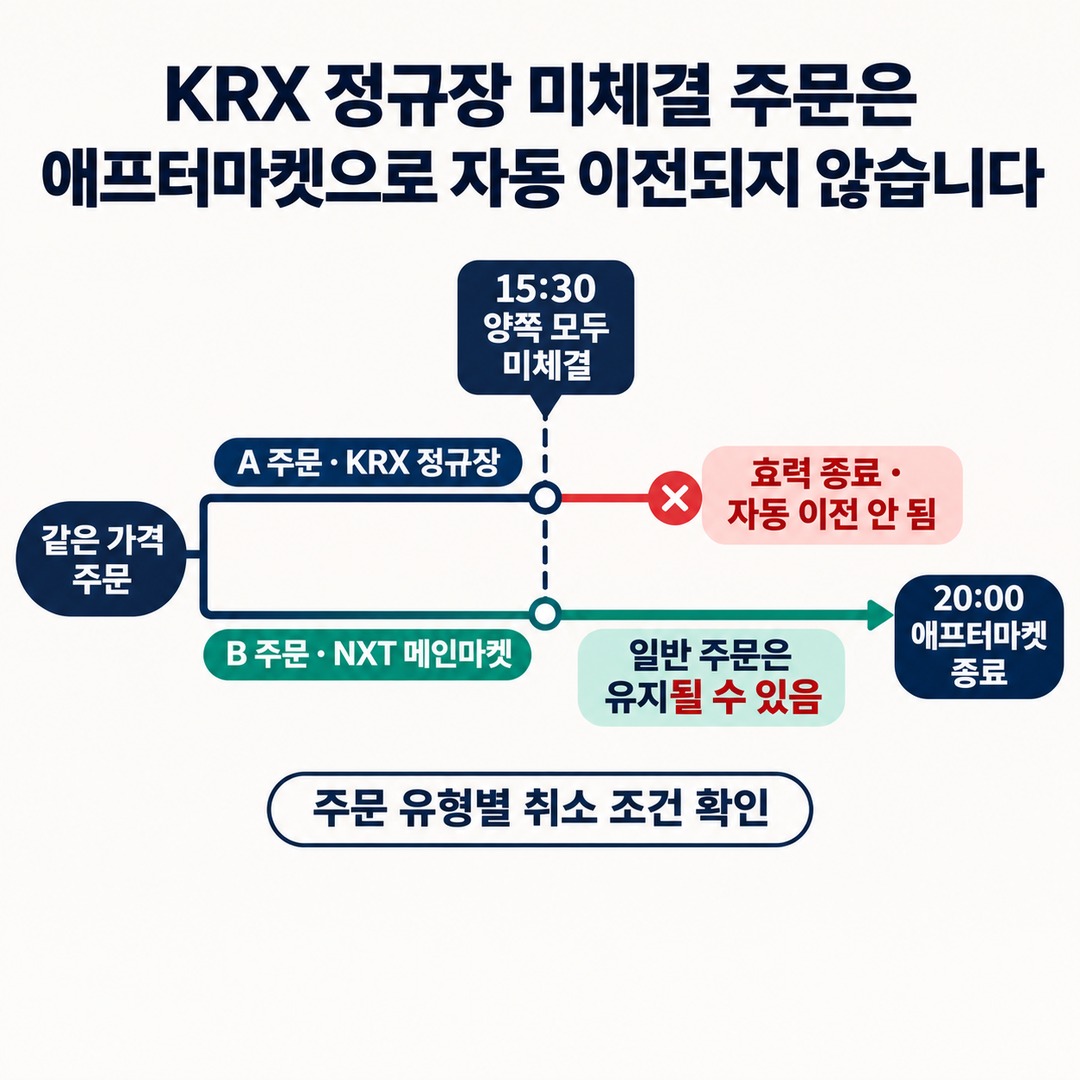
By contrast, regular orders placed on NXT's pre-market and main market may remain active through after-hours trading.
For example, suppose you place an order to sell Samsung Electronics shares at the same price.
Order A: placed on the KRX regular session
Order B: placed on the NXT main market
If neither order has been filled by 15 hours 30 minutes, their subsequent handling differs.
Order A expires when the KRX regular session ends.
A regular NXT order may remain active until 20 hours, when the after-hours session ends.
However, separate cancellation conditions may apply depending on the order type.
3. Which exchange receives an SOR order?
SOR stands for Smart Order Routing. It is a method by which a brokerage sends an order to KRX or NXT according to its best execution policy.
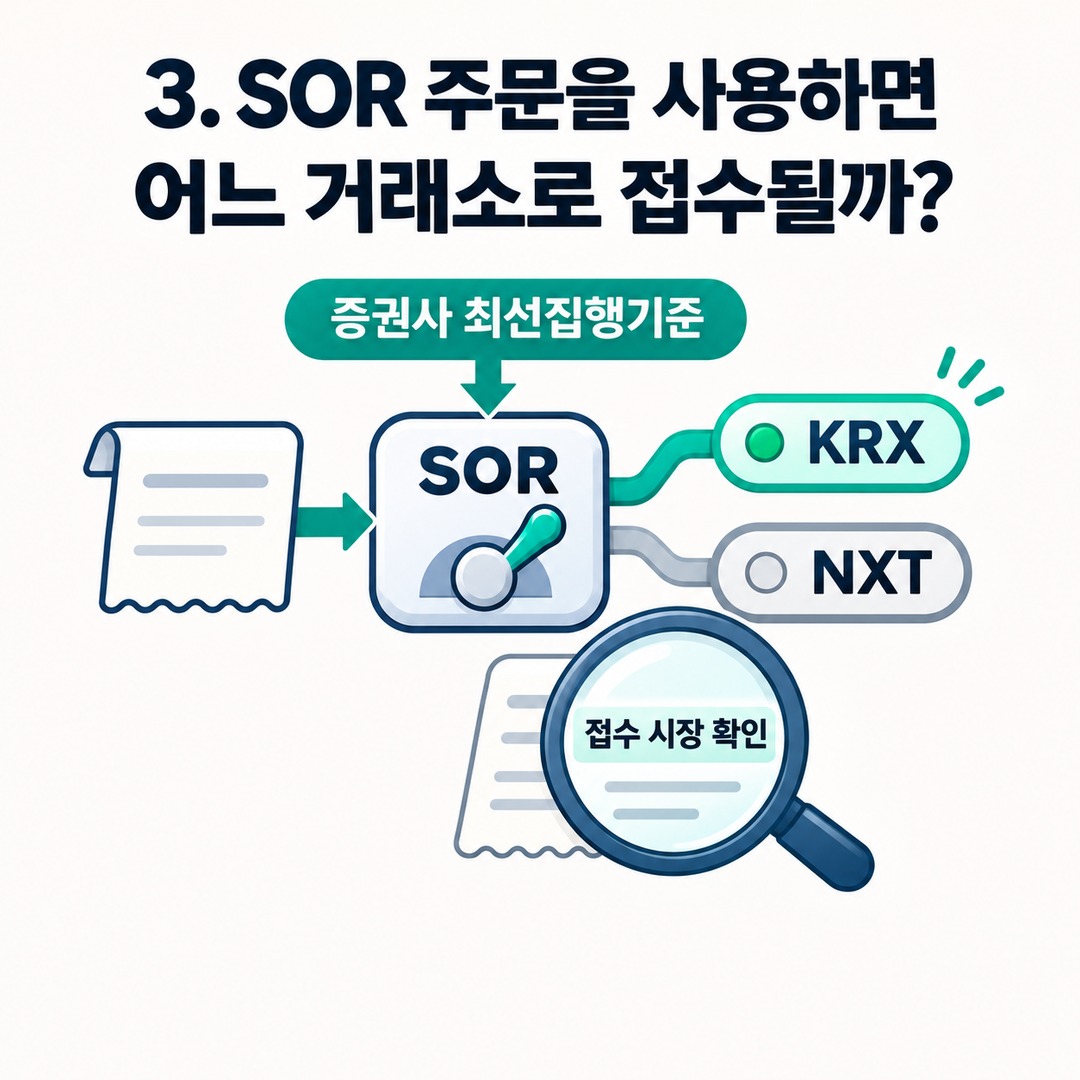
If you use SOR without specifying an exchange yourself, you need to check which market received the order.
A common misunderstanding arises here.
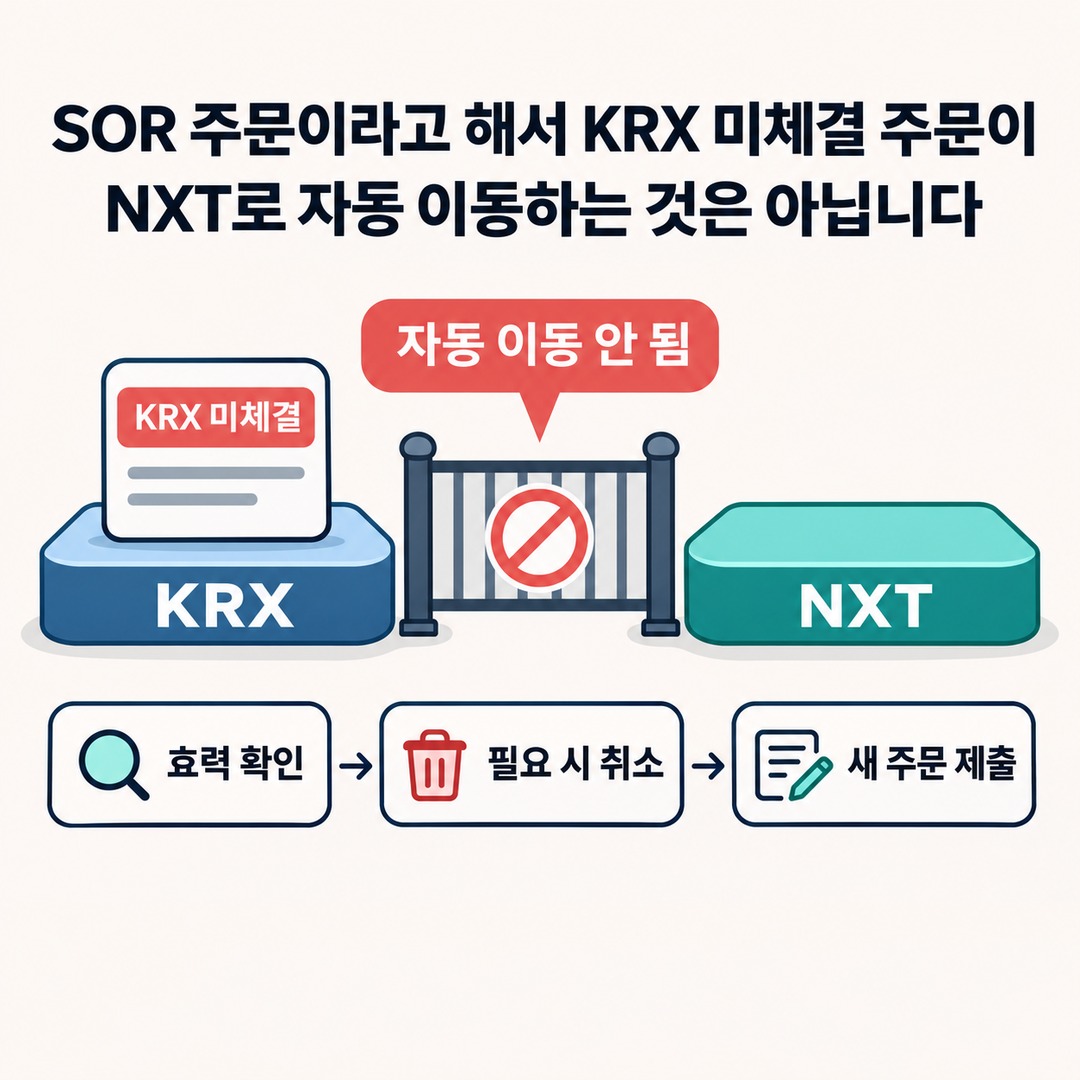
An SOR order does not automatically move an unfilled KRX order to NXT.
SOR selects the exchange where an order will be executed; it does not automatically transfer an unfilled order from one exchange to another.
The actual order-handling process should be understood in these steps.
1. Submit a stock buy or sell order.
2. The exchange is selected according to the brokerage's best execution policy.
3. The order is placed on KRX or NXT.
4. Check whether the order was filled and how much remains unfilled.
5. To trade on another exchange, check whether the existing order is still active; if needed, cancel it and place a new order.
It is especially important to check which exchange received your order just before the market closes.
This is because SOR policies and the supported order types can vary by brokerage.
4. Do stop-loss orders remain active automatically after the market closes?
Stop-loss orders should be checked separately from regular limit orders.
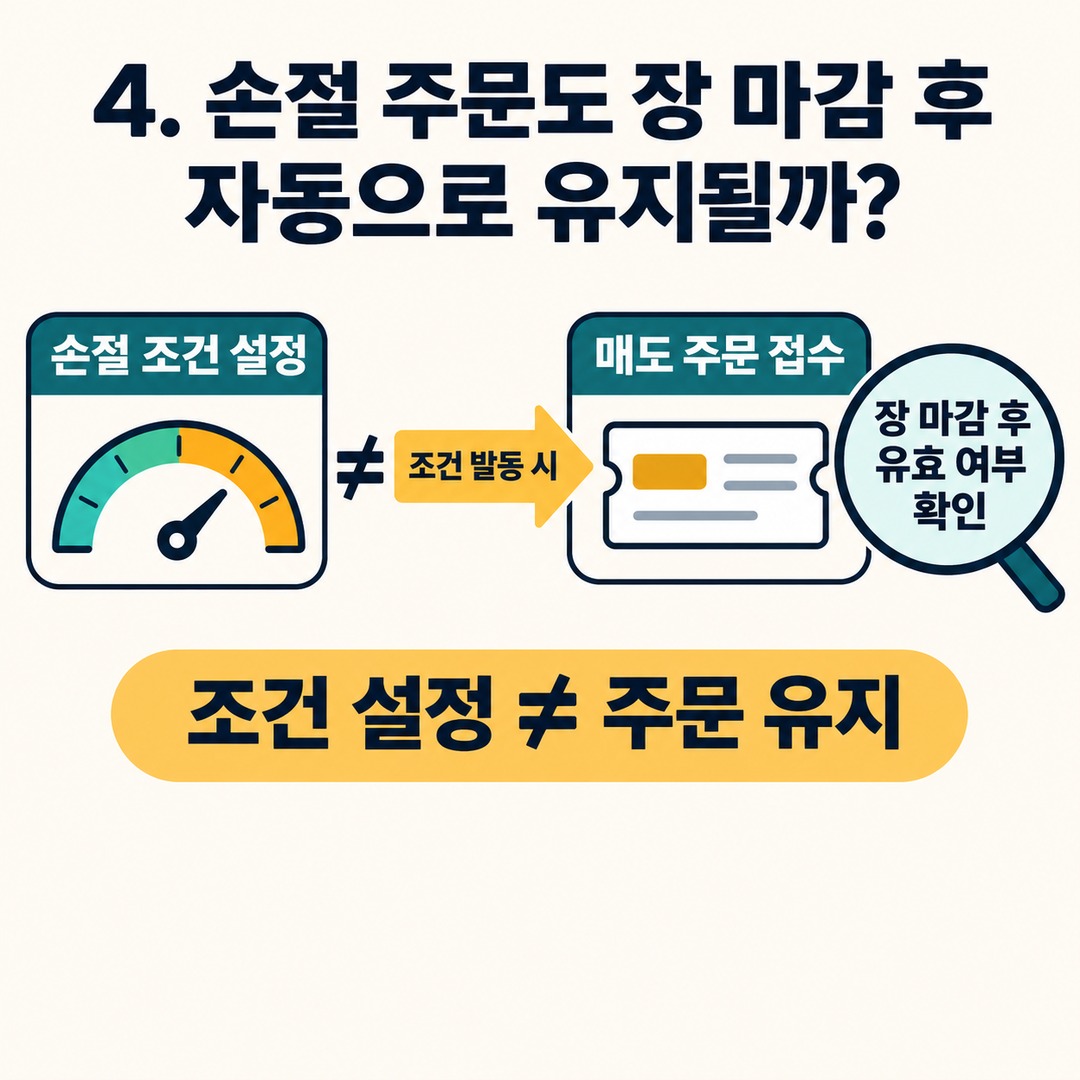
A brokerage's automatic stop-loss feature may work by detecting a trigger condition and then submitting a sell order. So the fact that a stop-loss condition is set does not, by itself, mean that the order remains valid through the next trading session.
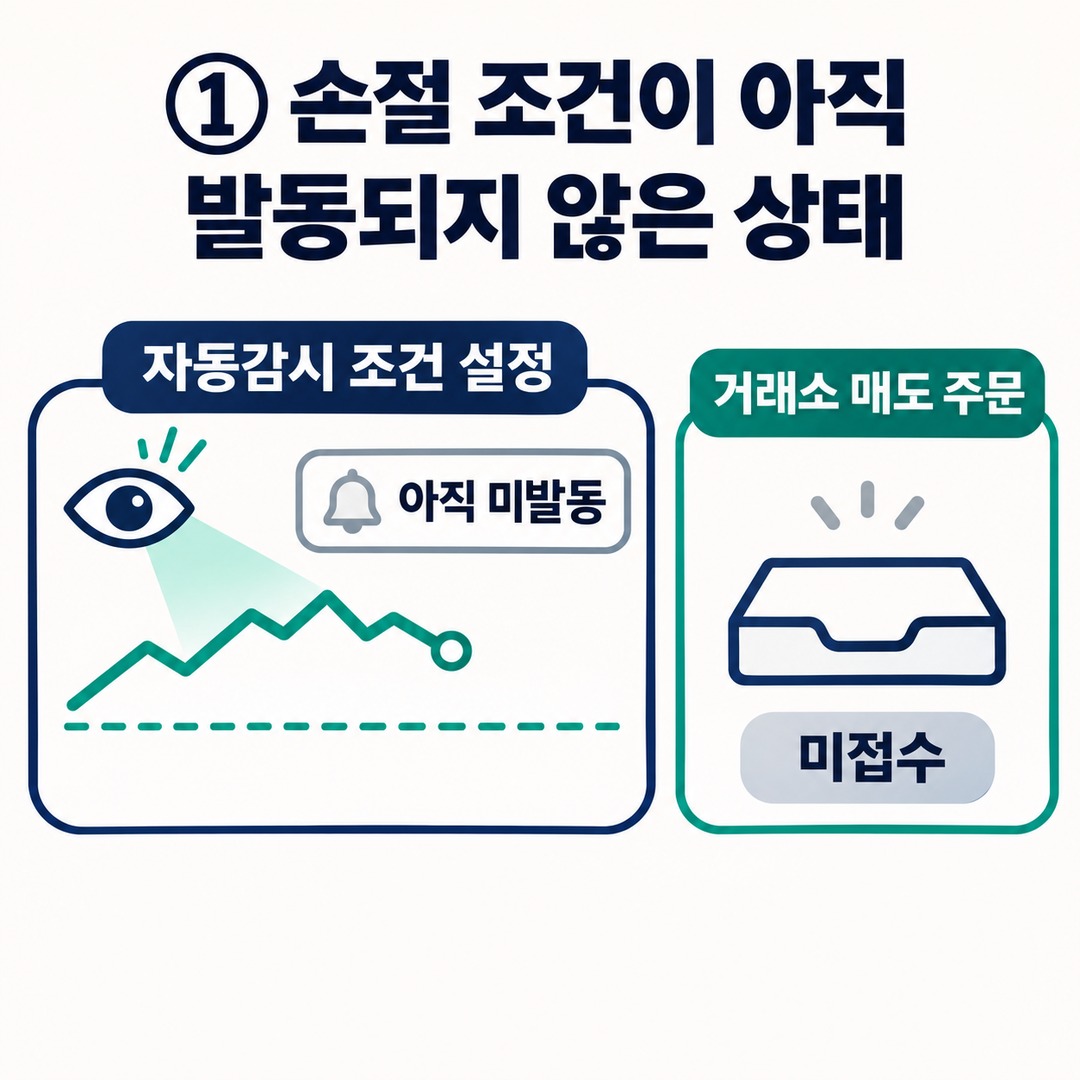
In particular, distinguish among these three situations.
① The stop-loss condition has not yet been triggered
The automatic monitoring condition is set in the account or brokerage system. This is different from an actual sell order having been submitted to the exchange.
② The stop-loss condition has triggered and a sell order has been submitted
Once the condition is met, an actual sell order is submitted. From that point, check the validity period based on the exchange that received it and the order type.
③ A sell order was submitted but remained unfilled through the market close
How unfilled quantities are handled may vary between KRX and NXT and depending on the brokerage's automatic order features.
So when using a stop-loss feature, it is a good idea to check the following:
The validity period of the automatic stop-loss condition
Which exchange receives the order after the condition is triggered
The type of order actually submitted
How unfilled quantities are handled after the market closes
Whether the order is automatically re-entered on the next trading day
In particular, keeping an automatic monitoring condition active and keeping a sell order submitted to the exchange active are two different things.
5. How to check unfilled orders after the market closes
If an order has disappeared or remains unfilled after the market closes, check the following in order.
First, check your unfilled orders.
Check whether the order was canceled, partially filled, or still has an unfilled quantity.
Second, check which exchange received the order.
Check the order screen to see whether it was placed through KRX, NXT, or SOR.
Third, check the order type.
The validity period may vary depending on whether it is a regular limit order, a stop-limit order, or a pre-market-only GTP order.
Fourth, consider placing a new order if you need to trade in the after-hours session.
Unfilled KRX regular-session orders are not automatically transferred to the KRX after-hours session, so you need to place a separate order.
Fifth, check your order again if you plan to trade the next day.
Do not assume that the previous day's order will still be active; check whether you need to place a new order.
6. Exceptions to watch for in order validity periods
Not all orders remain active until 20 hours.
One example is NXT's GTP (Good Till Pre-market), an order condition that is valid only during the pre-market session.
Any unfilled quantity is automatically canceled when the pre-market session ends.
NXT stop-limit orders also have different conditions from regular limit orders. When the stop price is reached, an order is submitted at the specified limit price; handling conditions may vary by brokerage and order type.
So be sure not to confuse these three things:
The hours when an order can be submitted
The hours when an order can actually be filled
The final time an unfilled order remains active
These three do not necessarily mean the same thing.
Especially if you plan to submit a stop-loss order again after the market closes, check which stocks are eligible for trading and which order types are available.
---
Conclusion
The validity period for unfilled domestic stock orders varies by exchange and order type.
The key point is that KRX regular-session orders are not automatically transferred to NXT or the KRX after-hours session.
An order still showing as open after 15 hours 30 minutes does not mean that it will remain active until the next day.
Make a habit of checking the exchange, order type, and validity period together in your order history.
When placing a stock order, check not only the price but also how long the order remains valid.
※ This article is for informational purposes to help readers understand market activity and is not a recommendation to invest in any particular stock or asset. You are responsible for your own final decisions and investments.
This post contains Coupang Partners affiliate links. We may earn a commission from qualifying purchases.