

Bitcoin Futures Stop-Loss Orders: Why Was the Order Triggered but Not Filled? The Difference Between Stop-Limit and Stop-Market
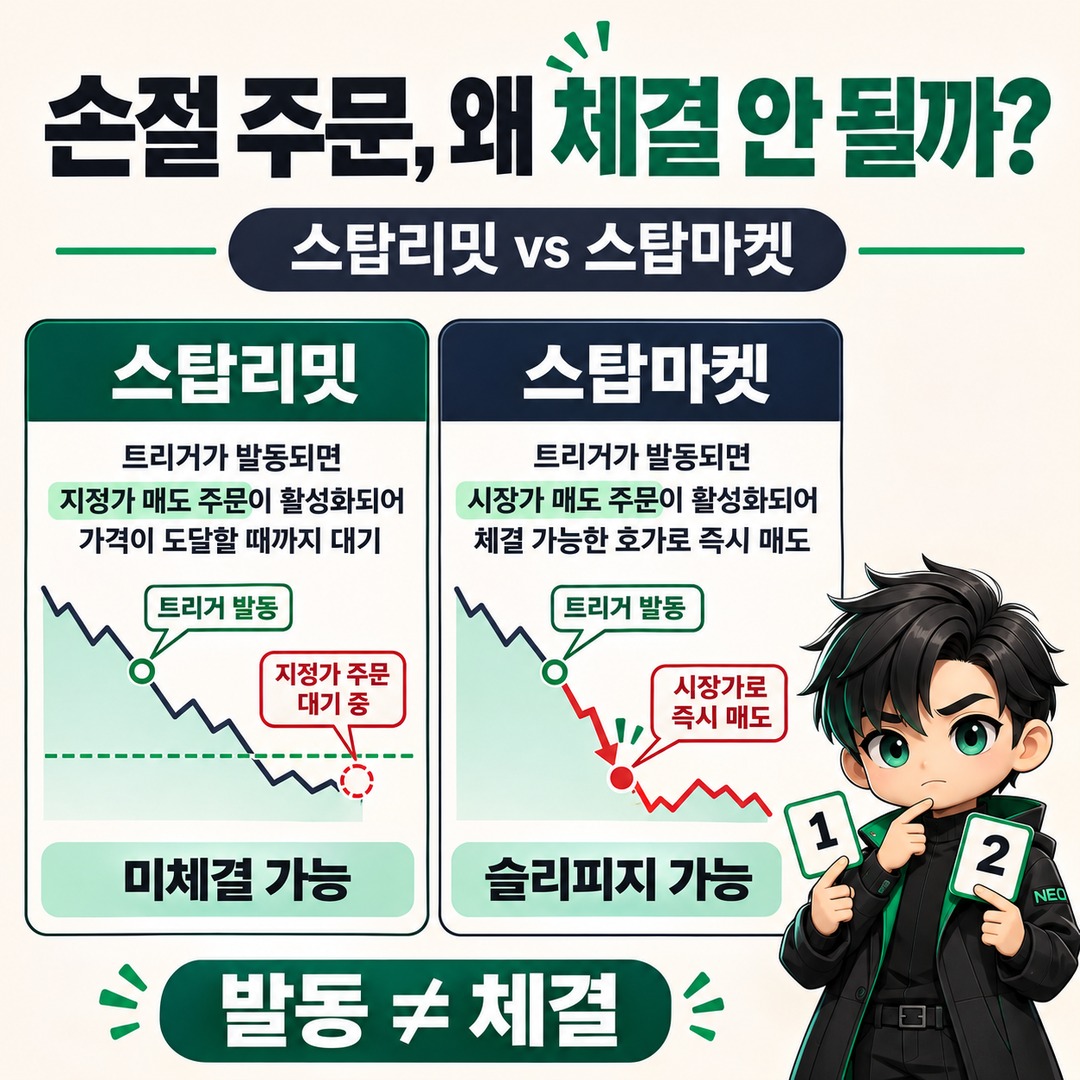
In Bitcoin futures, reaching the stop-loss price does not necessarily close the position. A stop-limit order may remain unfilled if there is no buyer or seller at the specified price, even after its conditions are met. A stop-market order converts to a market order, so its fill price may be less favorable than expected.
The biggest difference between the two orders is how they are handled after triggering. Understanding which order type will close the position is just as important as setting the stop-loss price.
If you understand Mark Price and stop-loss orders in Bitcoin futures, the next thing to look at is how orders are actually filled on an exchange.
1. Why can a position remain open even after a stop-limit order is triggered?
A stop-limit order is a conditional order with separate trigger and limit prices. When the trigger price is reached, the exchange submits a limit order to the order book, but the order may not be filled if the market price does not meet the limit price.
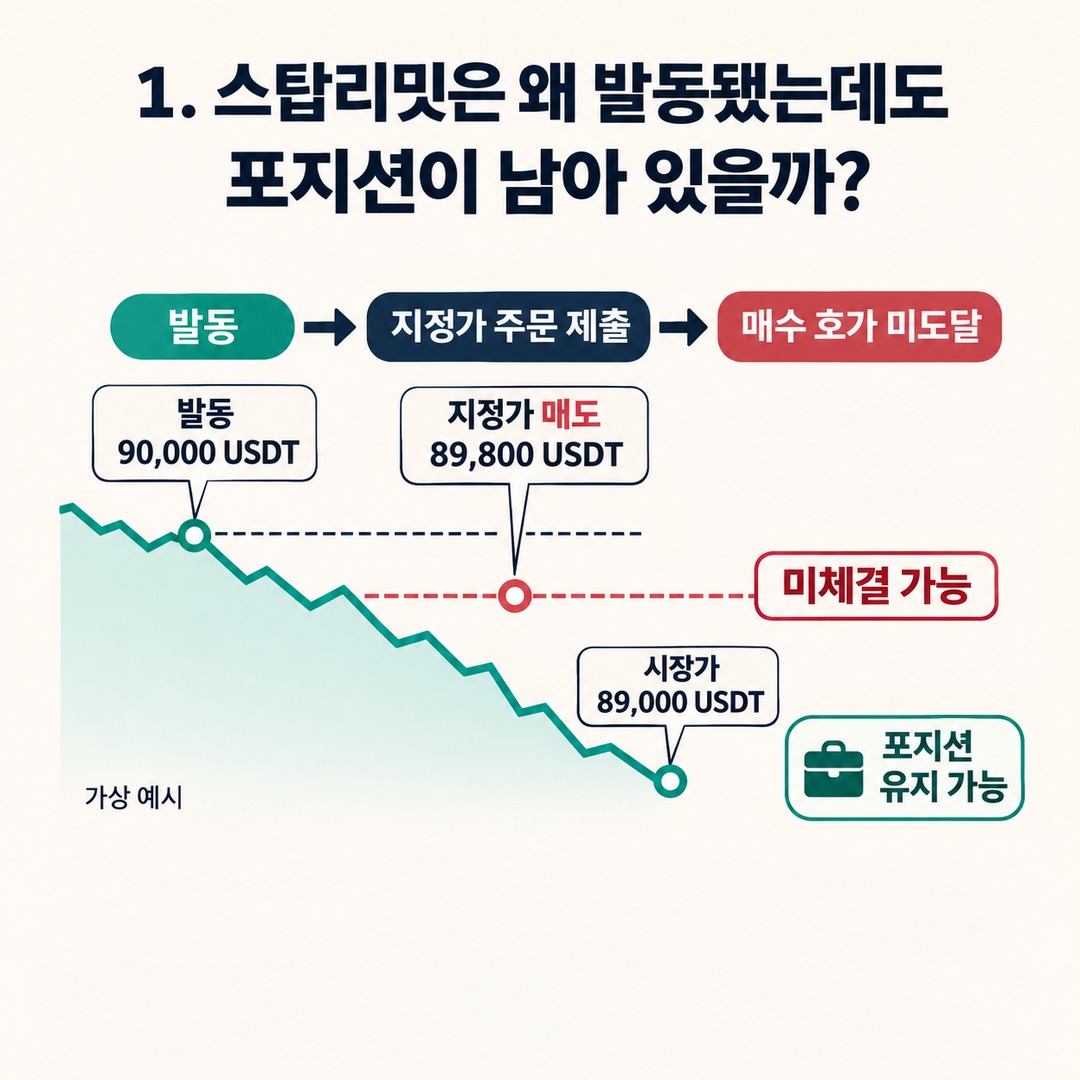
For example, suppose you hold a long position in Bitcoin futures and set a stop-loss order as follows.
Hypothetical stop-limit sell order
Stop-loss trigger price
90,000
USDT
Limit sell price
89,800
USDT
If the price drops sharply
1. The Bitcoin price reaches 90,000 USDT.
2. The stop-limit order is triggered.
3. A limit sell order at 89,800 USDT is submitted to the order book.
4. The price plunges to 89,000 USDT, and the buy quotes do not reach 89,800 USDT.
5. The order may remain open while the position stays unclosed.
Possibility of non-fill. These are hypothetical prices for illustration, not actual market prices or an example of an exchange execution.
The key point is that triggering and filling a stop-limit order are separate processes.
Triggering: The stage when the set condition is met and the order becomes active
Execution: The stage when a trade is matched with an opposing order in the order book
Therefore, do not assume that a position has been liquidated just because the order history shows a trigger.
Binance Futures’ official help also explains that a stop-limit order consists of a trigger price and a limit price, and that a limit order is submitted to the order book after the trigger. Binance+1
2. How does a stop-market order differ from a stop-limit order?
A stop-market order executes a market order when the trigger price is reached. Because it does not lock in a limit price, it attempts to close the position at prices available in the order book.
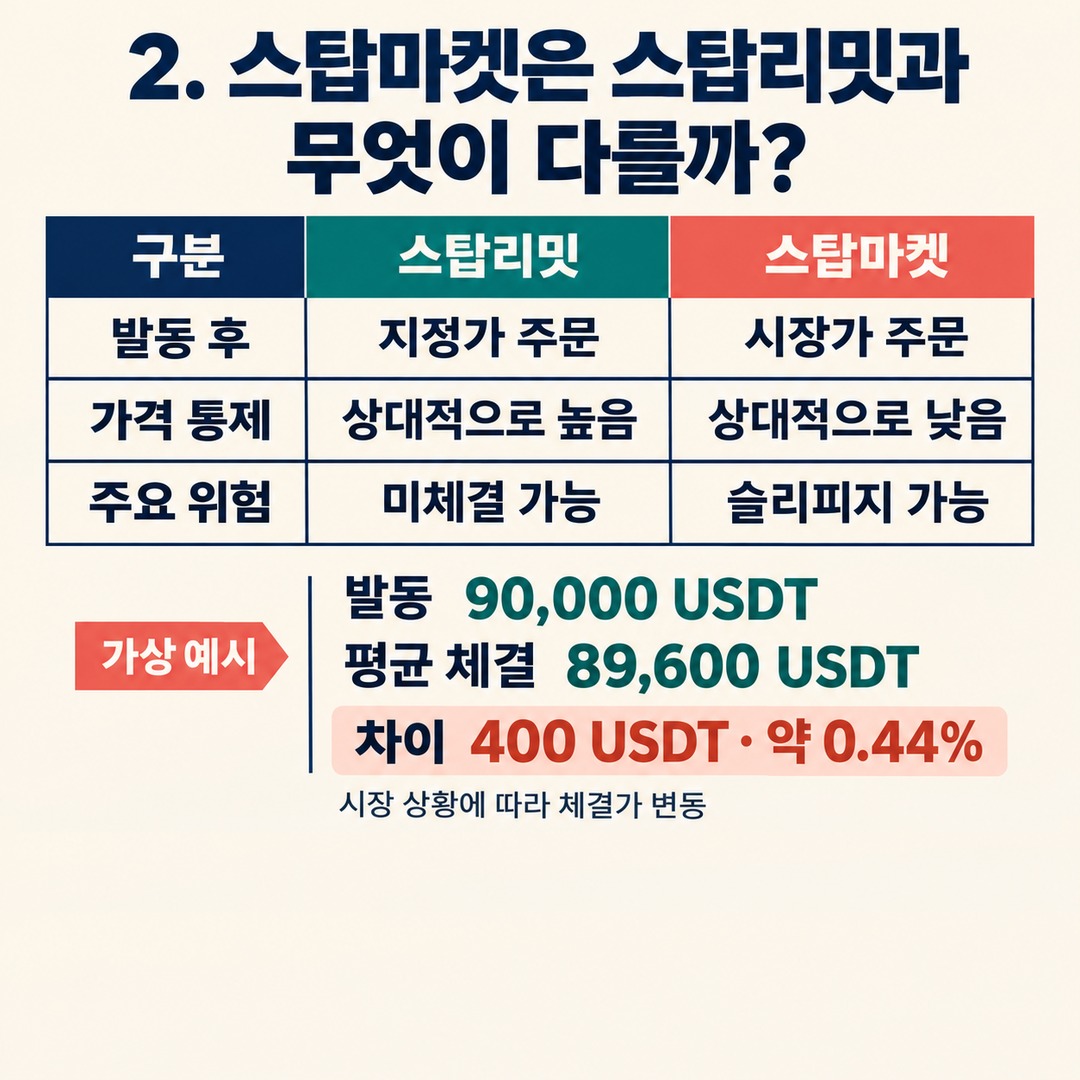
The differences between the two methods are as follows.
| Comparison | Stop-limit | Stop-market |
|---|---|---|
| Trigger condition | Set price is reached | Set price is reached |
| After triggering | Limit order | Market order |
| Price control | Relatively high | Relatively low |
| Risk of non-fill | Relatively high | Depends on market conditions |
| Slippage | Fills within the limit price range | Possible |
| Main risk | The position may remain open | The order may fill at a less favorable price than expected |
A stop-market order does not guarantee a fill in every case either. The order may not be processed normally if there is insufficient market liquidity or an issue arises with exchange order limits, margin checks, or other factors.
Binance+2### Why slippage occurs with stop-market orders
Slippage is the difference between the expected order price and the actual fill price.
For example, consider the following situation.
Stop-loss trigger price: 90,000 USDT
Buy quote immediately after triggering: 89,700 USDT
Actual average fill price: 89,600 USDT
The difference between the expected 90,000 USDT and the actual average fill price of 89,600 USDT is 400 USDT.
Author’s calculation:
90,000−89,600=40040090,000×100≈0.44%, a price difference of about 0.44%.
This is a hypothetical example. The actual amount of slippage varies depending on order size, available order-book depth, volatility, and exchange processing conditions.
3. Other reasons a stop-loss order may not trigger or may be canceled
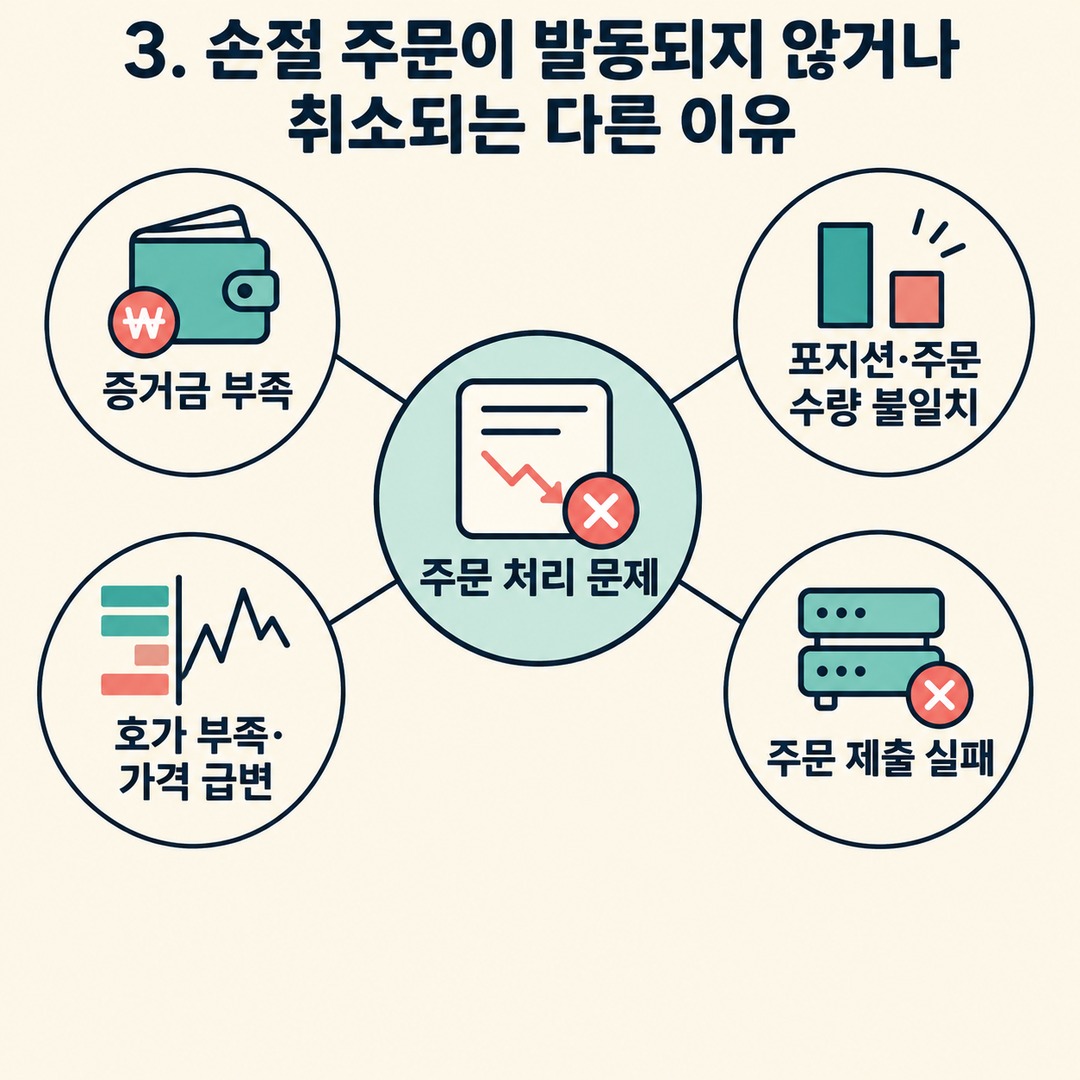
Knowing the difference between stop-limit and stop-market orders does not explain every order failure.
There are four main reasons an order may not be processed.
Insufficient margin
Even after a conditional order is triggered, it may still be subject to the exchange’s margin check. If other orders are using the margin or the account does not have enough available balance, the order may be rejected or expire.
Mismatch between position size and order size
An order may not be processed normally if you try to close a larger amount than your existing position or exceed the exchange’s position limit.
Insufficient order-book depth and rapid price changes
Market orders are also affected by order-book liquidity. If trading volume is insufficient or prices move sharply, only part of the order may fill, or the order may hit the exchange’s price limits.
Order submission system issues
During periods of sharply increased trading volume, even the order submission itself may fail.
In its official guidance on failed orders, Binance lists insufficient margin, exceeding position limits, order-size conditions, and high traffic among the possible causes. Binance+1
4. What to check after setting a stop-loss order
After submitting an order, check its actual status as well as the settings screen.

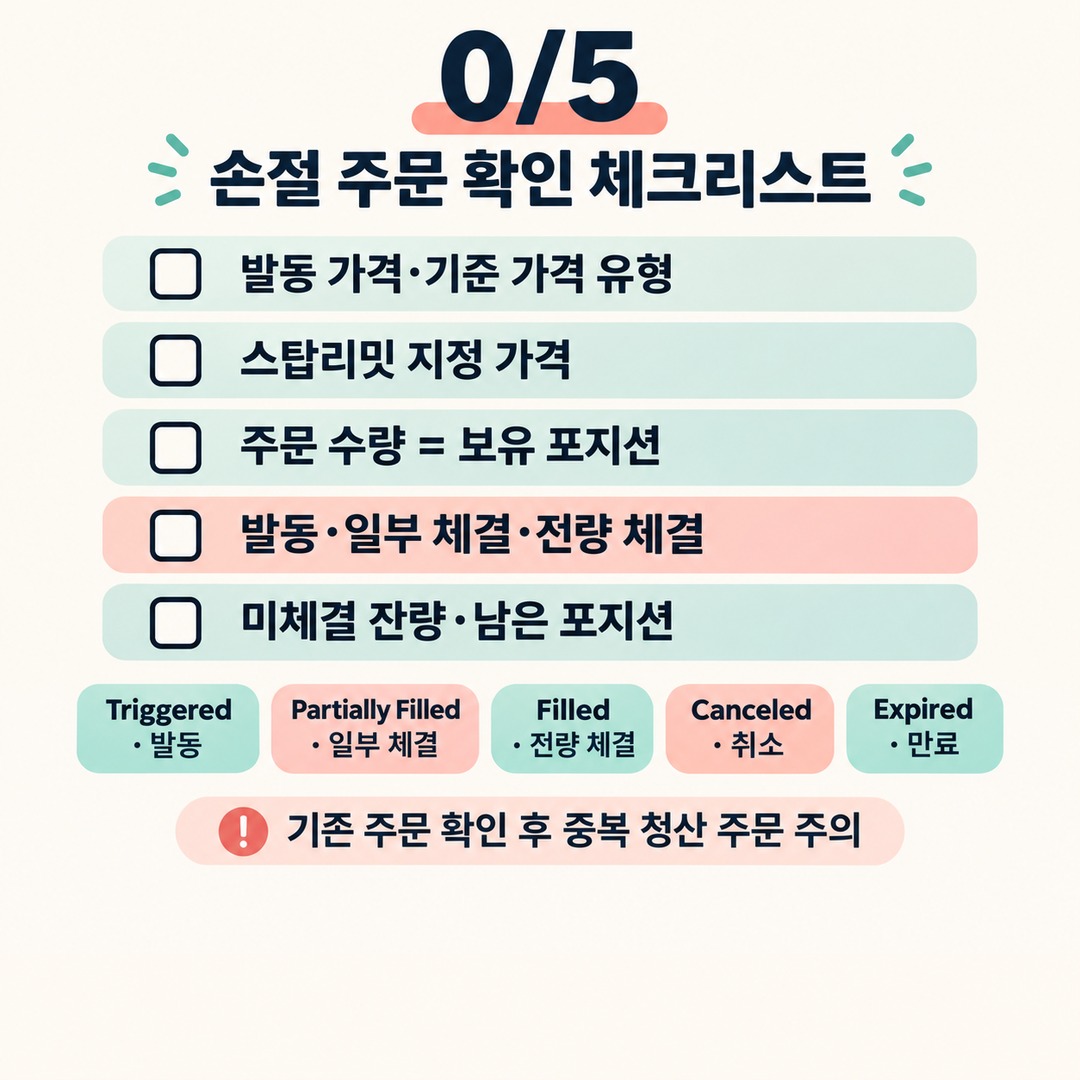
Checking the following five items can help prevent confusing a triggered order with a closed position.
Futures Stop-Loss Order Checklist
Confirmed
0/5
Check the trigger price and the price reference type. If it is a stop-limit order, also check the limit price. Confirm that the order size matches the position you actually hold. Check whether the order is triggered, partially filled, or fully filled. Check any unfilled quantity and any position that remains open. In particular, distinguish between the following order statuses:
Triggered: The condition has been met and the order has been activated
Partially Filled: Only part of the order quantity has been filled
Filled: The entire order quantity has been filled
Canceled or Expired: The order has been canceled or its validity period has ended
Status names and how they are displayed may vary by exchange.
After a stop-limit order is triggered, an unfilled limit order may remain open. So, if the position is still open, check existing orders before submitting another closing order to avoid placing a duplicate.
5. What is easy to overlook when choosing between stop-limit and stop-market orders?
It is not possible to say that either order is safer in every market condition.
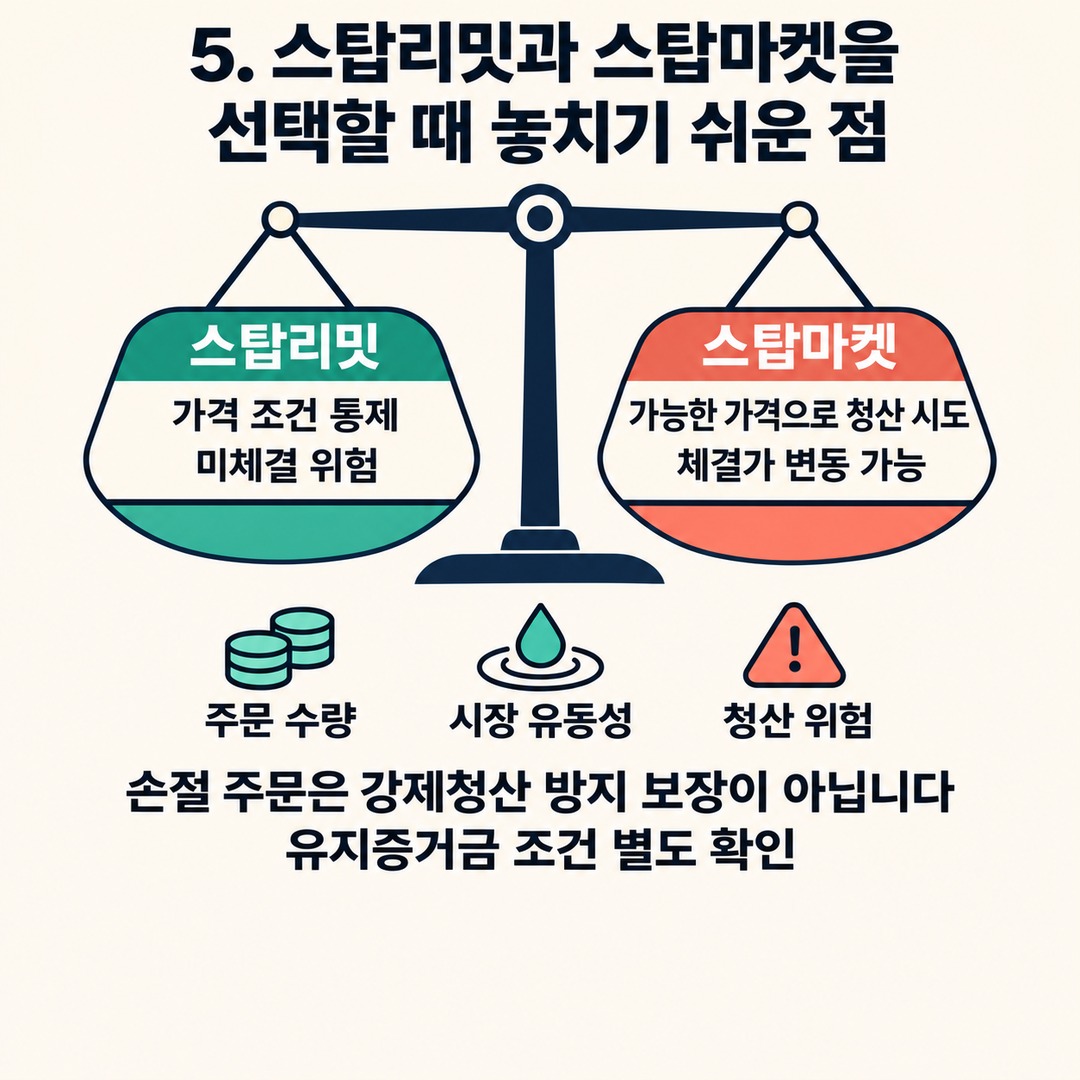
A stop-limit order lets you control the price but carries a risk of not being filled. A stop-market order does not lock in a price and instead attempts to close the position at available market prices.
So, when evaluating order types, consider these three factors together.
First, order size.
If the order is larger than the available quantity in the order book, a market close may fill across multiple price levels.
Second, market liquidity.
Even for the same Bitcoin futures product, order-book depth and trading conditions differ by exchange and contract.
Third, liquidation risk.
The position may reach the conditions for forced liquidation before the stop-loss order is triggered. A stop-loss order does not guarantee protection against forced liquidation; check margin and maintenance margin requirements separately.
Simply entering the stop-loss price correctly is not enough. You also need to understand what order will be submitted after the trigger and how to check whether it was actually filled.
Frequently Asked Questions
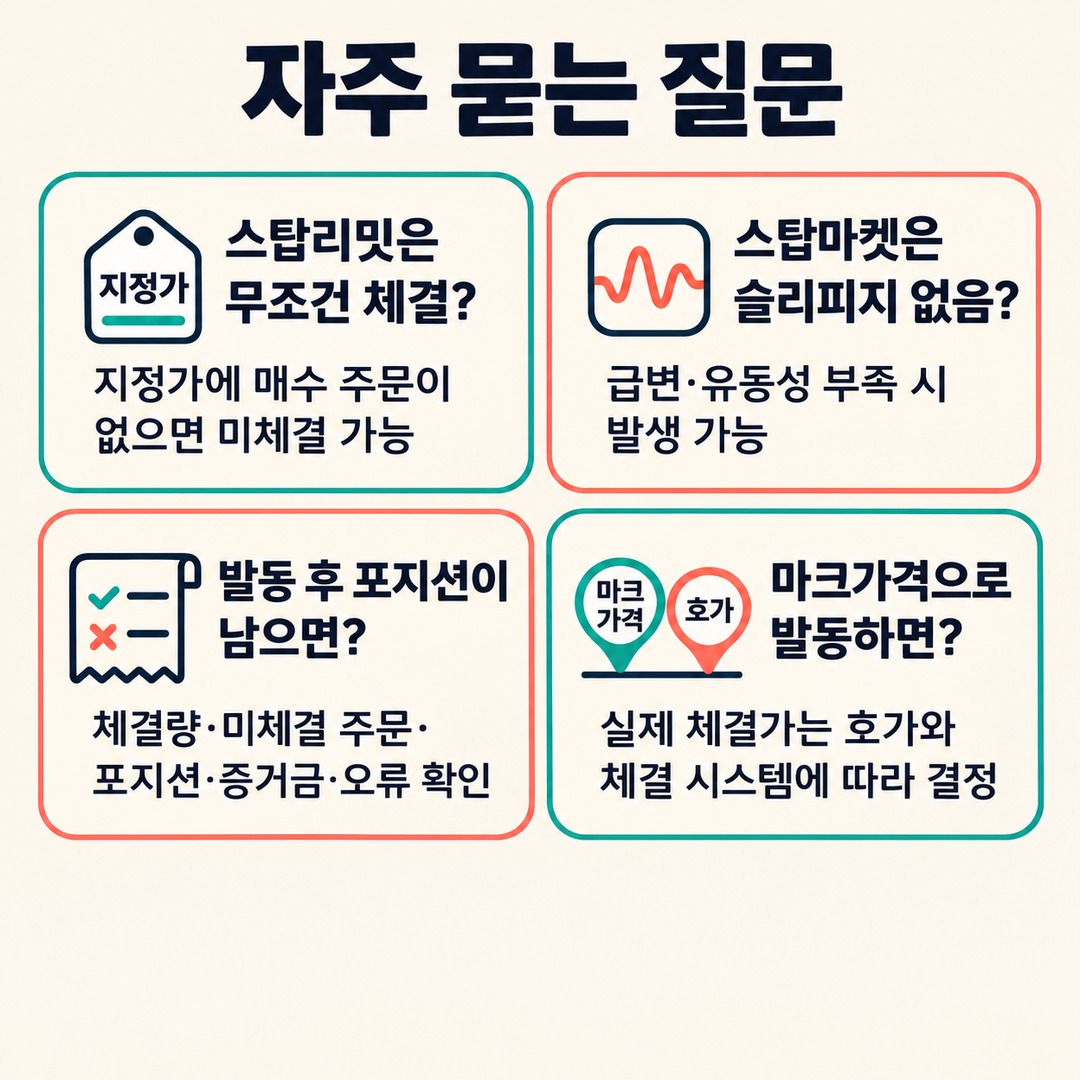
Q. Does a stop-limit order always sell when the price reaches the stop-loss level?
No. When the trigger price is reached, a limit order is submitted, but it may not fill if the opposing order does not reach the specified price.
Q. Does a stop-market order avoid slippage?
Slippage can occur. A market order fills at available prices in the order book, so a sharp price move or insufficient liquidity may result in a less favorable price than expected.
Q. What should I do if my stop-loss order was triggered but the position remains open?
First, distinguish between whether the order was triggered and how much was filled in the order history. Then check for unfilled orders, any remaining position, available margin, and exchange error messages.
Q. If an order is triggered based on Mark Price, will it also fill at Mark Price?
No. Mark Price may be the reference price used for the trigger condition, but the actual fill depends on the exchange’s order book and execution system.
Conclusion
The key distinction in Bitcoin futures stop-loss orders is that the trigger price and the actual fill price are different things.
With a stop-limit order, consider both price control and the risk of non-fill. With a stop-market order, consider uncertainty in the fill price and the possibility of slippage.
Setting a stop-loss order does not, by itself, complete your risk management. You also need to check the actual fills and any remaining position.
※ This article is for informational purposes to help readers understand market conditions and is not investment advice concerning any specific security or asset. You are responsible for your final decisions and investments.