

Bybit Funding Rate Formula Change: How to Check Contract-Specific Effective Dates and Holding Costs from November 24
Bybit plans to update the funding rate formula for perpetual contracts in stages, by contract, starting 2026-11-24. The key change is that the formula will account for each contract’s actual funding interval. Existing positions may also be affected, but funding costs that have already been settled will not be changed retroactively. So, if you are holding a position, check the announcement date, 11
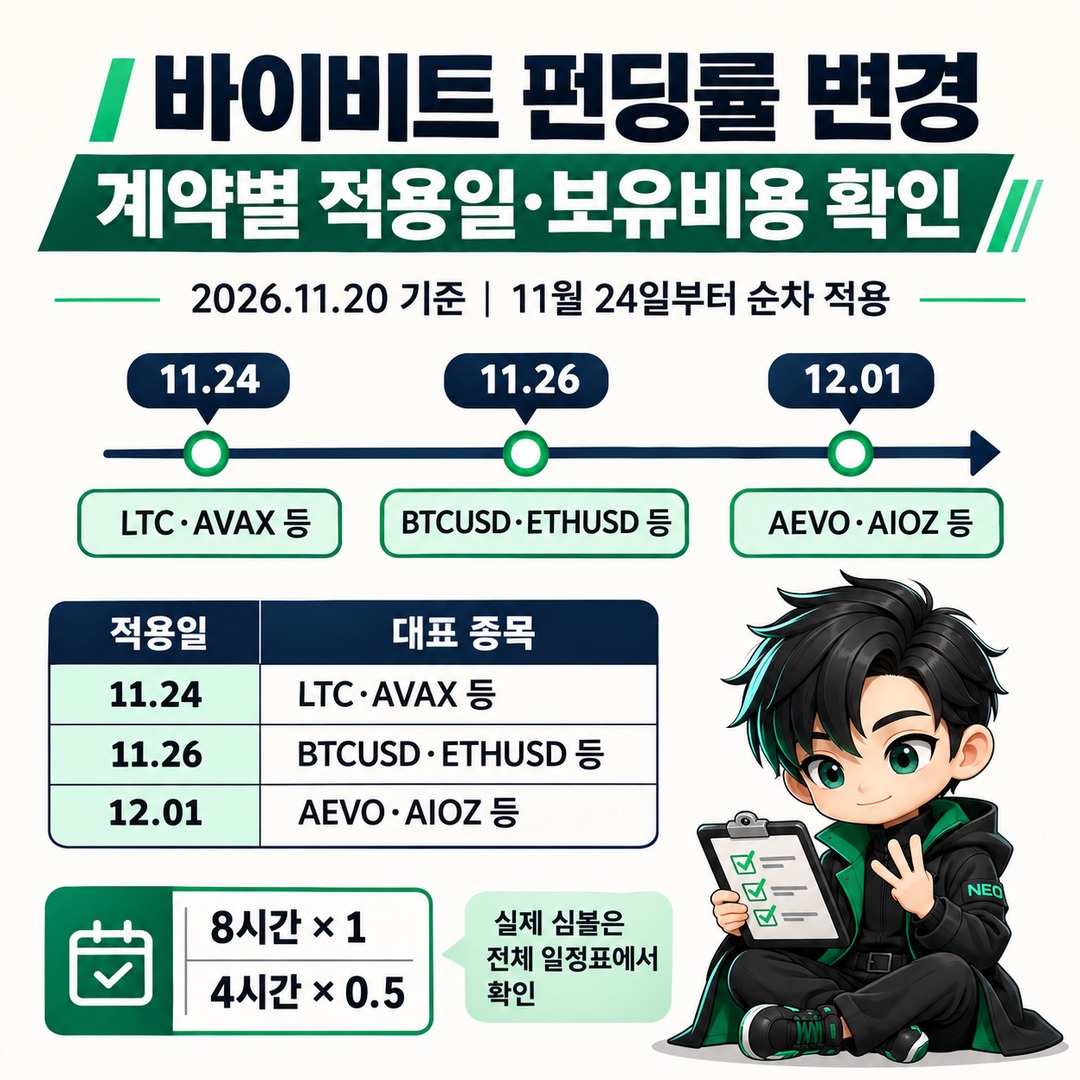
Bybit plans to update the funding rate formula for perpetual contracts in stages, by contract, starting 2026-11-24. The key change is that the formula will account for each contract’s actual funding interval. Existing positions may also be affected, but funding costs that have already been settled will not be changed retroactively.
November 20 Current Confirmed Implementation Schedule
According to Bybit’s 2026-11-19 official announcement, the change will take place in three stages. Do not assume which stage your contract is in based only on the representative markets listed in the announcement. Check the separate implementation schedule linked by Bybit for the full list of markets.
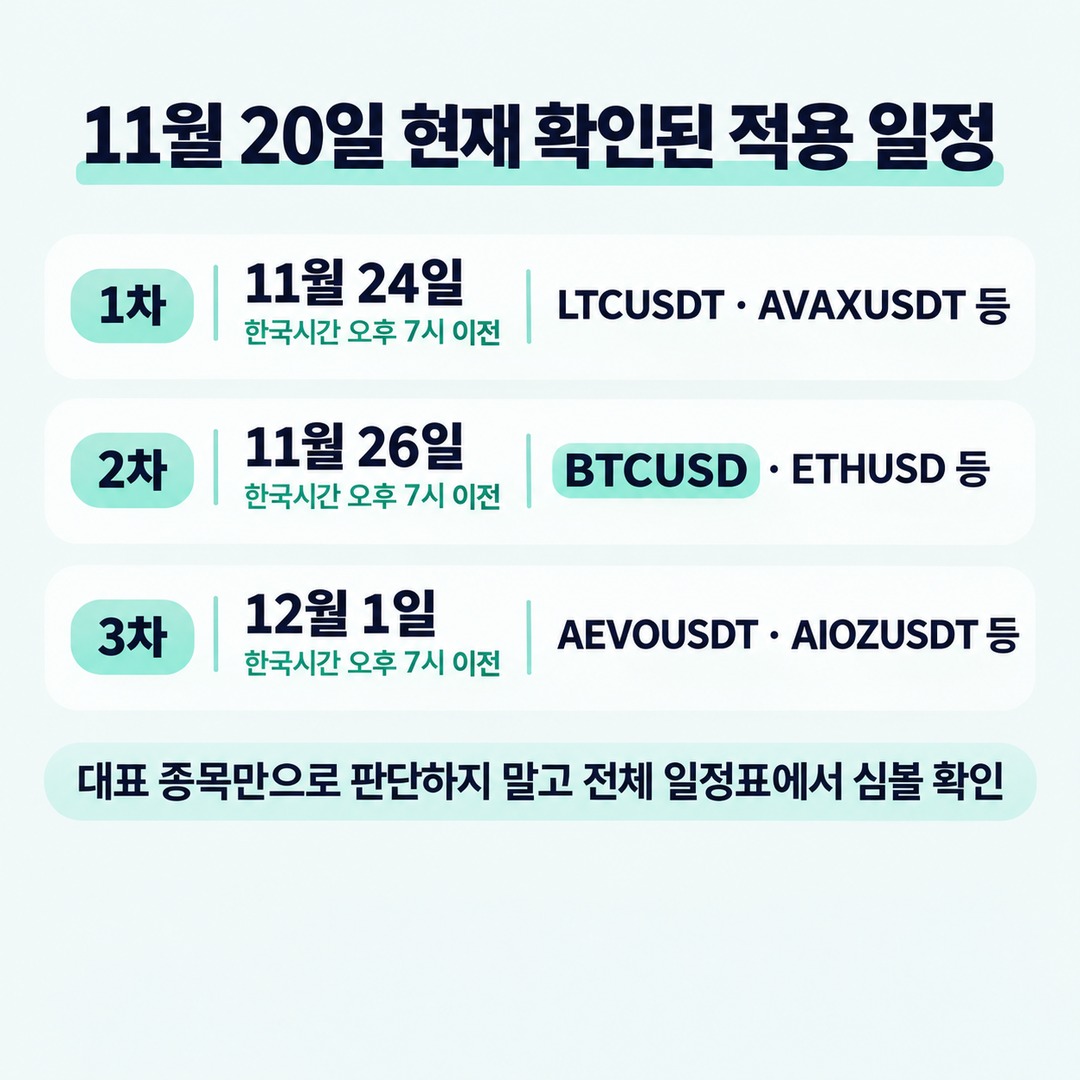
| Stage | Scheduled effective date | Representative markets |
|---|---|---|
| 1 stage | November 24 | LTCUSDT, AVAXUSDT, ATOMUSDT, NEARUSDT, etc. |
| 2 stage | November 26 | BTCUSD, ETHUSD, SOLUSD, XRPUSD, ADAUSDT, etc. |
| 3 stage | December 1 | AEVOUSDT, AIOZUSDT, AKTUSDT, TRUMPUSDT, etc. |
Bybit’s official change announcement
Bybit’s full contract-by-contract implementation schedule
Be careful not to confuse BTCUSDT with BTCUSD. The representative markets in the official announcement include BTCUSD in the 2 stage schedule, but that list is not exhaustive. For accuracy, search for the symbol you actually trade in the separate schedule.
What is the difference between the old and new formulas?
The key change is the adjustment factor based on the funding interval.
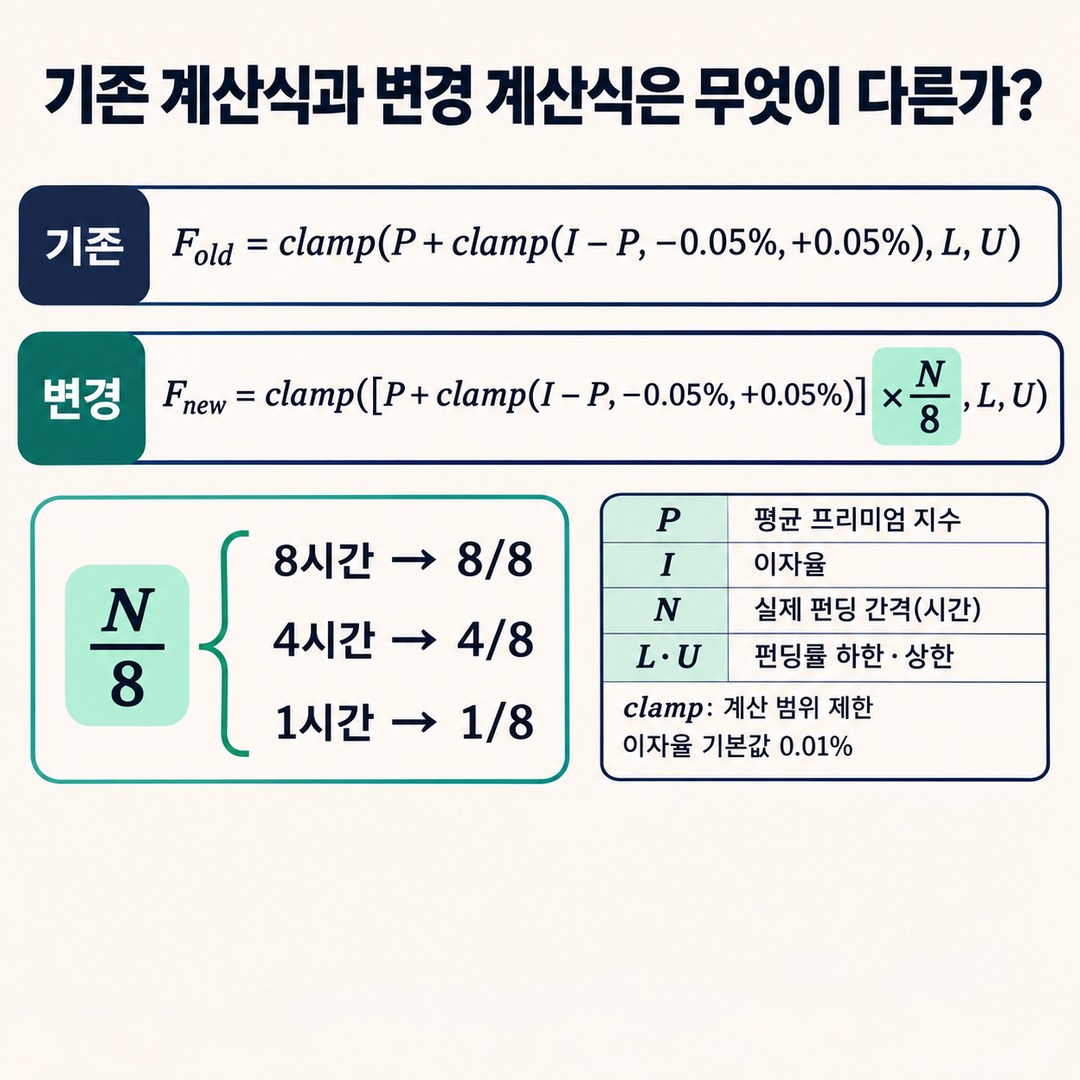
The old formula is as follows.
Fold=clamp(P+clamp(I−P,−0.05%,0.05%),L,U)The new formula is as follows.
Fnew=clamp([P+clamp(I−P,−0.05%,0.05%)]×N8,L,U)| Symbol | Meaning |
| P | Average premium index |
|---|---|
| I | Interest rate |
| N | Contract’s actual funding interval (hours) |
| L | Funding rate lower limit |
| U | Funding rate upper limit |
Here, clamp is a function that keeps the calculated result within the specified minimum and maximum values.
Bybit says the interest rate is calculated on a 8-hour basis, with a default of 0.01%. In the revised formula, the result calculated using the interest rate and average premium index is multiplied by N/8, after which the contract-specific upper and lower limits are applied.
So, for a 4-hour interval, 4/8 is factored into the calculation; for a 1-hour interval, 1/8 is factored in. However, this alone does not mean the actual funding cost will be exactly half or 1/8. You also need to consider the average premium index, the applicable limits, and the actual number of settlements.
How do you calculate the actual holding cost of your position?
A change to the funding rate formula and the calculation of the funding fee are separate matters.
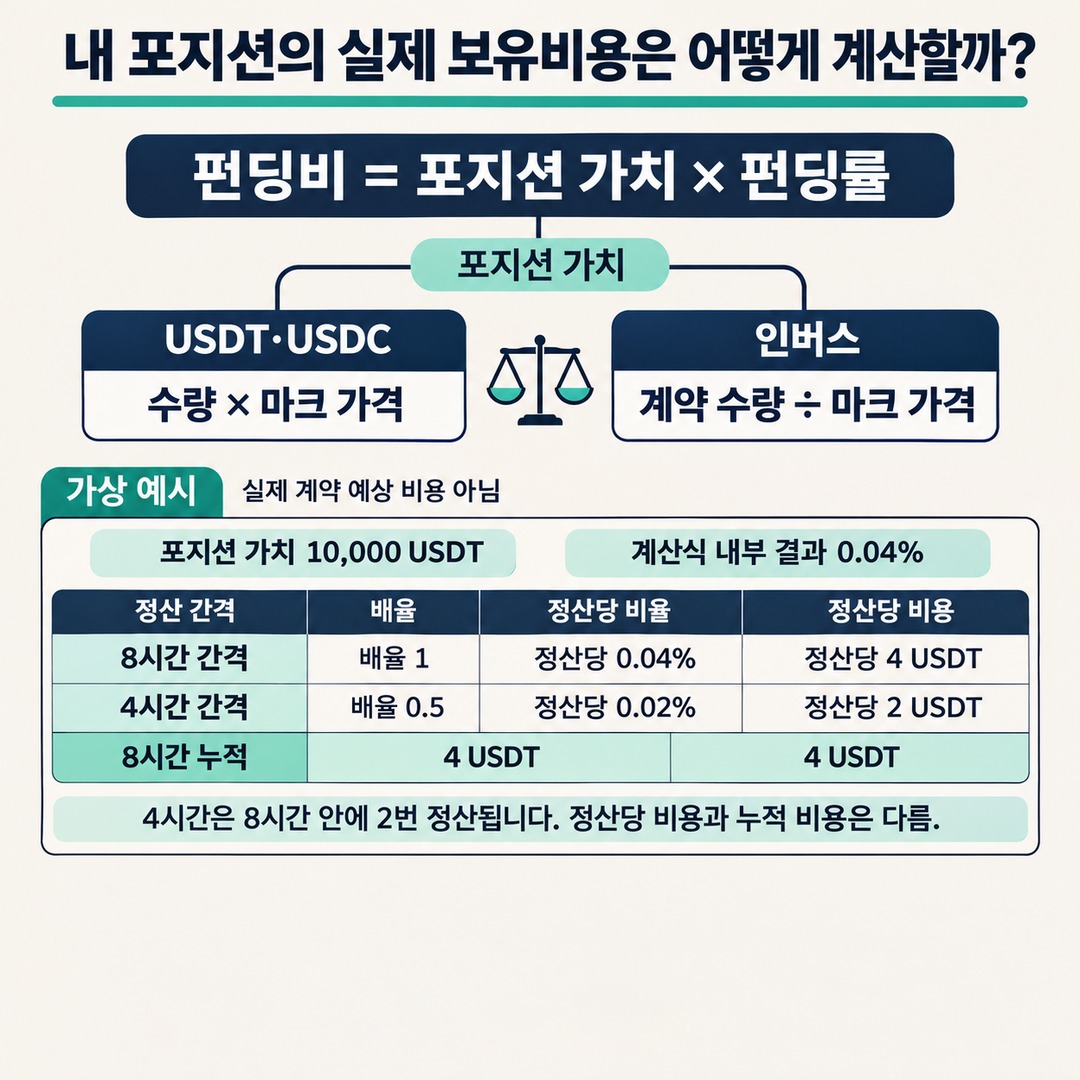
On Bybit, the funding fee is generally calculated as follows:
Funding fee = position value × funding rate. For USDT and USDC perpetual contracts, position value is generally calculated by multiplying the contract quantity by the mark price.
Position value = quantity × mark price. Inverse perpetual contracts use a different calculation structure.
Position value = contract quantity / mark price. Therefore, do not apply the formula used for USDT contracts as is to an inverse contract such as BTCUSD. Bybit’s funding fee calculation guide distinguishes between the formulas for different contract types.
Hypothetical example: position value of 10,000 USDT
The following hypothetical example illustrates how the calculation works.
Position value: 10,000 USDT
Result within the formula: 0.04%
Previous funding interval: 8 hours
Funding interval after the change: 4 hours
Assume the funding rate does not reach the upper or lower limit
| 8-hour interval | 4-hour interval | |
|---|---|---|
| Applied multiplier | 1 | 0.5 |
| Funding rate per settlement | 0.04% | 0.02% |
| Funding fee per settlement | 4 USDT | 2 USDT |
| Over 8 hours, if settled 2 times | 4 USDT | 4 USDT |
Author’s calculation. This is a simplified hypothetical assumption that holds market conditions, the premium index, upper and lower limits, and actual settlement results constant; it is not an estimate of the expected cost for an actual Bybit contract.
The point of this example is that the fee for one settlement differs from the accumulated cost over a given period.
Paying 2 USDT every 4 hours does not mean that the total cost over 8 hours will be only 2 USDT. If there are two settlements, the total is 4 USDT.
To calculate the actual cost, apply the position value and confirmed funding rate at each settlement time.
How to check the effective date for your contract on Bybit
Check in the following order.
1. Confirm the exact trading symbol for the position you hold. For example, distinguish BTCUSDT from BTCUSD.
2. Search for that symbol in the official implementation schedule.
3. Check which stage it belongs to: Batch 1, Batch 2, or Batch 3.
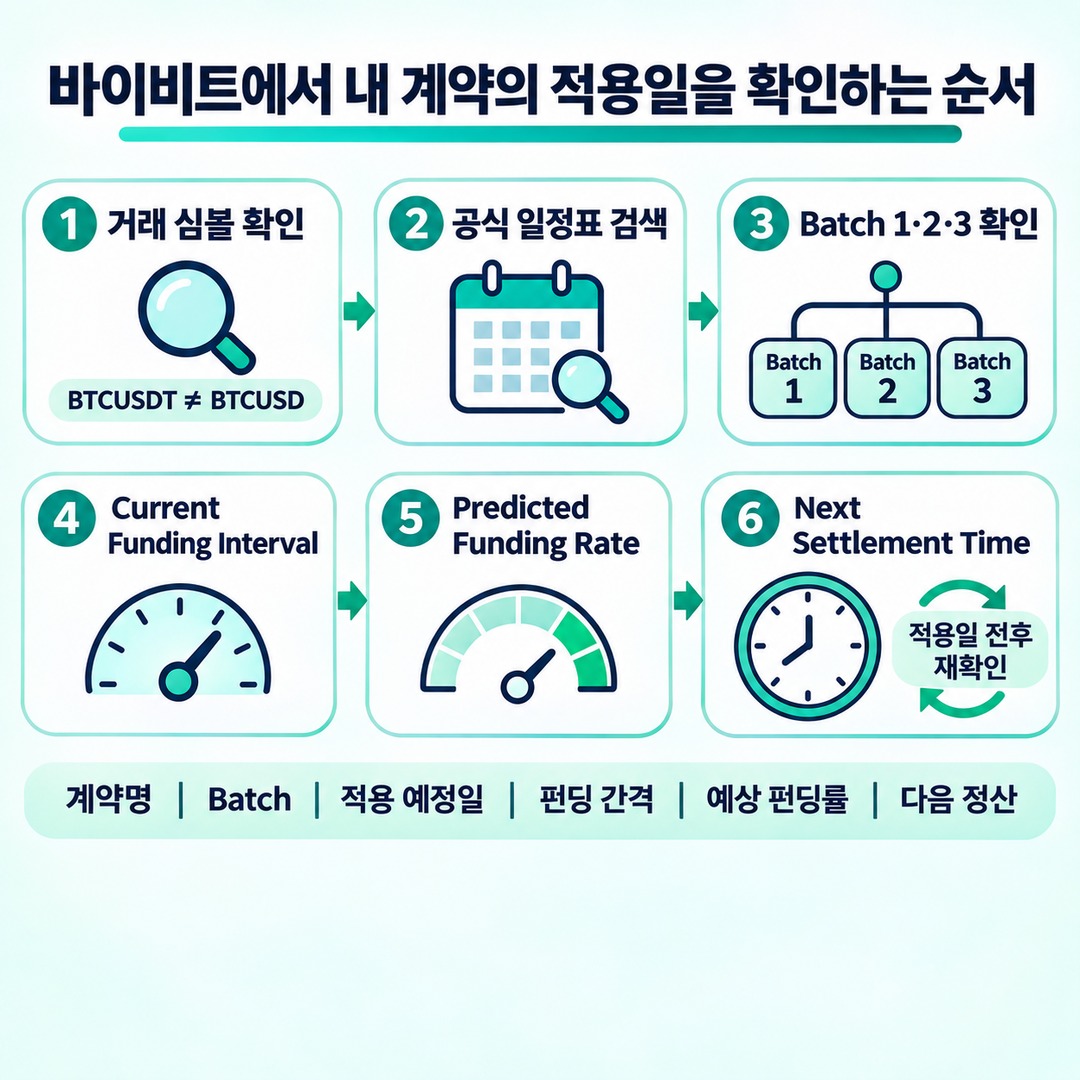
4. Go to the contract’s trading screen and check Current Funding Interval.
5. Check Predicted Funding Rate and Next Settlement Time.
6. Check the same items again around the scheduled effective date.
In its change announcement, Bybit advises users to check the latest predicted funding rate shown on the contract trading screen, the current funding interval, and the time of the next settlement.
Path: Bybit Futures → select the relevant contract → Funding Rate information
The important thing is to record the information shown on the trading screen as well as the date in the announcement.
| Item to record | What to check |
|---|---|
| Contract | Exact symbol, such as BTCUSDT |
| Implementation stage | Batch 1 · 2 · 3 |
| Scheduled effective date | According to the official schedule |
| Funding interval | Current Funding Interval |
| Predicted funding rate | Predicted Funding Rate |
| Next settlement | Next Settlement Time |
|---|
What happens if you keep holding an existing position?
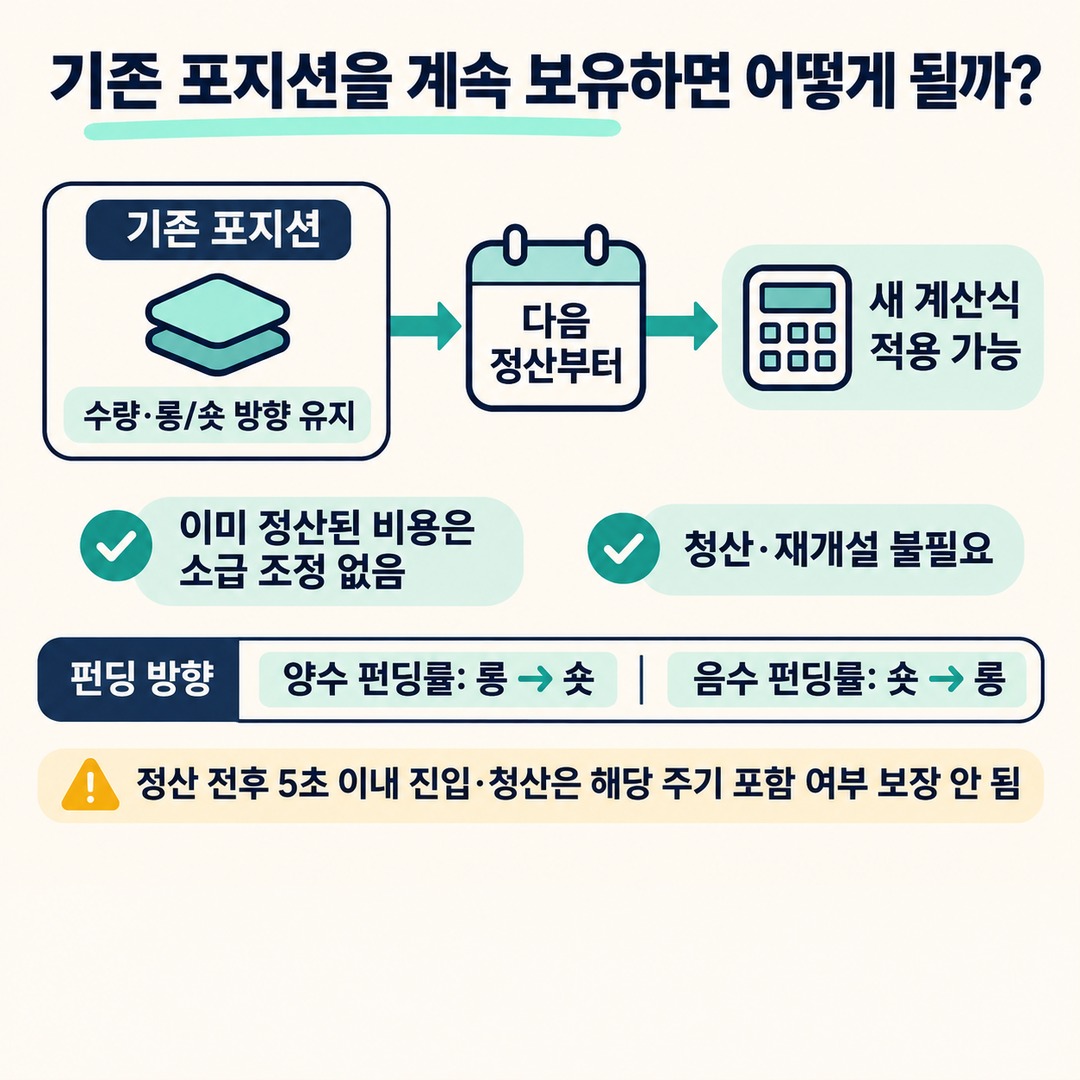
The announcement does not say that this change applies only to new positions. Bybit says funding fees for existing positions in eligible perpetual contracts may also change under the new formula after the change takes effect.
However, keep the following points distinct.
The quantity and long or short direction of an existing position will not change.
This change does not alter the contract’s underlying funding interval.
This formula change does not alter the existing funding rate limits.
Funding fees that have already been settled will not be adjusted retroactively.
The announcement does not say that users must close and reopen their positions.
You must hold a position at the settlement time to pay or receive a funding fee. When the funding rate is positive, longs pay shorts; when it is negative, shorts pay longs.
Bybit also says it does not guarantee whether a position opened or closed within 5 seconds before or after funding settlement will be included in that settlement cycle. So, do not treat a last-minute close timed to the settlement as a sure way to avoid the fee.
Where can you check the funding fees actually paid or received?
The predicted funding rate may differ from the amount actually paid or received. Check the settled amount in your actual transaction history.

For a Bybit Unified Trading Account (UTA), you can use these two paths.
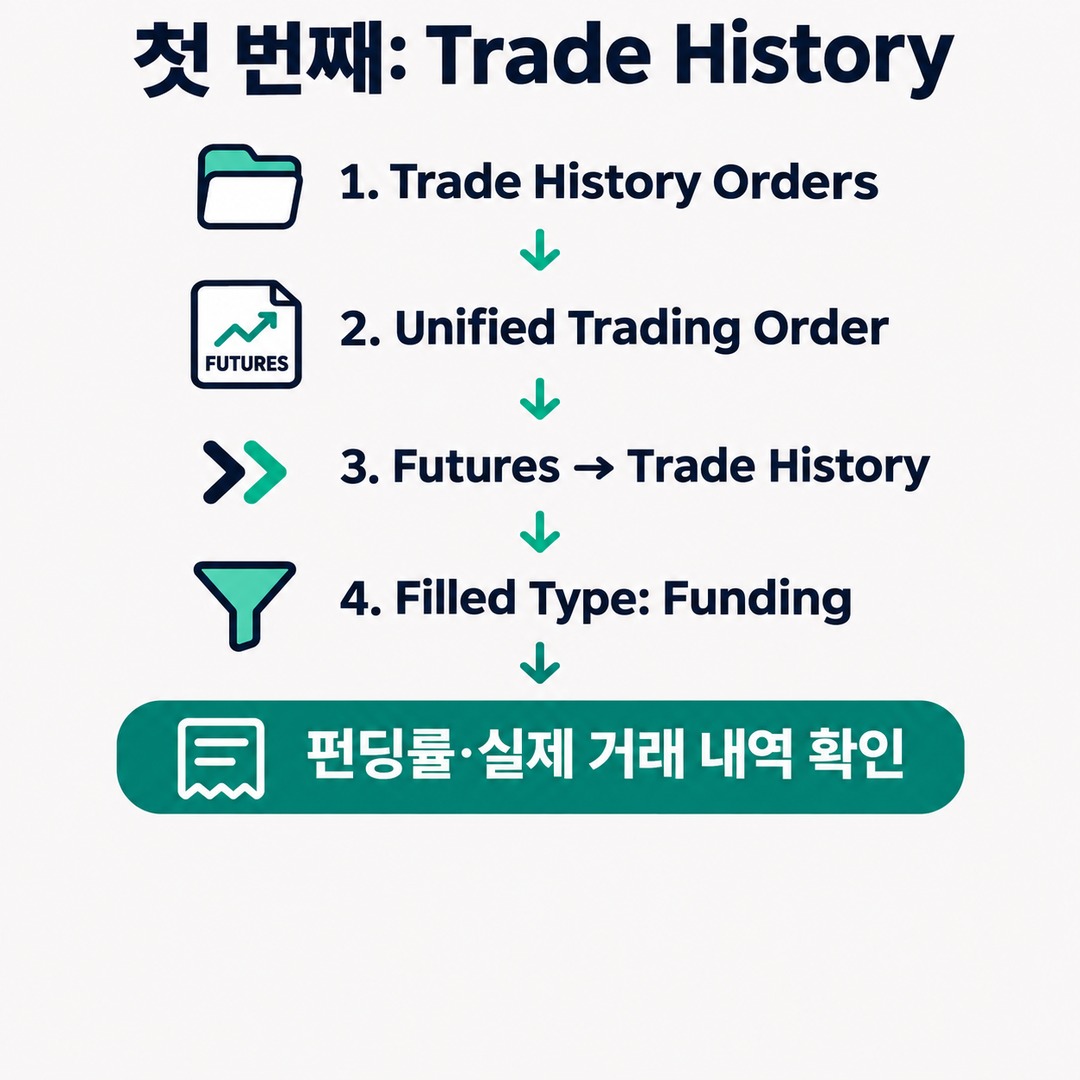
First: Trade History
Go to the Orders menu.
Select Unified Trading Order.
Go to Futures and open Trade History.
Set Filled Type to Funding.
Check the funding rate and actual transaction history.
Second: Transaction Log
Open UTA Transaction Log.
Set the transaction type to Funding Rate Settlement.
Check the settled amount under Funding.
You can use these records to compare actual holding costs before and after the change.
In particular, record the settlement time, position value, and amount paid or received along with the funding rate.
What is easy to overlook when comparing holding costs before and after the change
The main point to watch in this change is that you should not compare only the funding rate figures.
For example, comparing a funding rate of 0.04% at the previous 8-hour interval with a rate of 0.02% at the new 4-hour interval makes the figure look half as large.
However, the settlement interval has also been halved, so there may be two settlements during the same 8 hours.
Conversely, depending on actual market conditions, the average premium index at each settlement may differ, or funding rate limits may apply, which can also change the cumulative cost.
So it is best to compare all three of the following:
1. Change in the funding rate per settlement
2. Actual number of settlements over a given period
3. Cumulative funding fees paid or received over the same period
Ultimately, actual settlement records—not a single predicted funding rate—are the basis for assessing holding costs.
※ This article is for informational purposes to help readers understand market trends and is not an investment recommendation for any particular instrument or asset. You are responsible for your own final decisions and investments.